When your karaoke lyrics line up perfectly with the music, the singing experience feels smooth, natural, and exciting. But when the timing is off—even by a second—it can throw off the entire performance. That’s why learning how to sync karaoke lyrics correctly is so important. The good news? You don’t need to be a tech expert to do it. With a few practical steps, your lyrics can sync flawlessly with your karaoke display, giving every singer the confidence to perform their best.
Understanding how to sync karaoke lyrics begins with knowing why timing issues happen. Delays can occur for many reasons: slow internet, outdated apps, Bluetooth lag, or device settings that aren’t optimized for karaoke. Even your TV processing speed can create a slight delay. These issues are common, but they’re also highly fixable. Once you know how to sync karaoke lyrics properly, these disruptions disappear, and your performances become much more enjoyable.
This guide walks you through simple methods, tools, and troubleshooting strategies to help your lyrics match your music perfectly. Whether you’re singing at home, hosting a party, or practicing for fun, synced lyrics make every song feel smoother and more professional.
Why Timing Matters When You Sync Karaoke Lyrics
When you sync karaoke lyrics correctly, the entire experience improves instantly. You feel more confident following the words because they appear exactly when you need them. Performers focus on emotion and delivery rather than scrambling to catch up or waiting for delayed lines. Smooth timing also helps beginners feel comfortable because they don’t need to guess when to sing.
Poor timing can cause unnecessary stress. Even advanced singers struggle when lyrics lag or jump ahead. This problem distracts from the fun and affects the overall flow of a karaoke night. Because karaoke relies on rhythm, the display must support—not hinder—the performer.
Synchronized lyrics are especially important during duets and fast-paced songs. When two performers need to coordinate, timing becomes crucial. Achieving that perfect sync creates a polished, enjoyable environment for everyone involved. Once you experience properly synced lyrics, it becomes impossible to ignore how much they elevate the singing experience.
Understanding Common Causes of Lyric Sync Issues
Before you learn how to sync karaoke lyrics correctly, it helps to know what causes timing problems in the first place. Many factors influence lyric timing, but most fall into a few common categories.
Internet connections can create lag when streaming karaoke videos. Slow speeds cause delays that push the lyrics out of sync. Device processing speed is another major factor. TVs, tablets, and smartphones all handle video differently, and some add extra processing time.
Bluetooth audio can also cause delays. Although Bluetooth is convenient, it sometimes introduces latency, especially when streaming music and graphics simultaneously. Even your karaoke app may affect timing. Some apps provide built-in sync adjustments, while others rely on external tools.
Understanding these causes prepares you to solve the problem. Once you know what’s responsible for the delay, you can sync karaoke lyrics more effectively and avoid repeated frustration.
Optimizing Your Devices Before You Sync Karaoke Lyrics
One of the simplest ways to sync karaoke lyrics is to optimize your devices beforehand. When your equipment runs smoothly, lyrics are more likely to stay in sync with the music.
Start by ensuring your internet connection is stable. If you stream karaoke videos, slow Wi-Fi can cause playback lag. Restarting your router or switching to a wired connection helps stabilize your connection instantly. Reducing the number of active devices on your network can also improve speed.
Next, close unnecessary apps on your device. Apps running in the background draw valuable processing power, which can slow down your karaoke display. Restarting your device often helps clear hidden processes and refresh system resources.
If you use Bluetooth, check the distance between your speaker and device. Bringing them closer reduces latency and improves performance. If syncing issues persist, you may want to consider switching to a wired connection for more stable timing.
Simple optimizations like these eliminate many common sync problems, making the process much easier before you even start.
Using Built-In Sync Controls in Karaoke Apps
Many karaoke apps include features specifically designed to sync karaoke lyrics. These built-in controls allow you to adjust timing manually, making them one of the most effective tools available.
Apps like KaraFun, Smule, and StarMaker offer lyric timing adjustments. You can delay or advance the lyrics by small increments until they match the audio perfectly. This gives you full control without needing extra equipment or tools.
Some apps also offer audio-delay settings, allowing you to change when you hear the music compared to when the lyrics appear. This helps create a balanced, synchronized performance environment.
Experimenting with these controls is easy. Play a song, observe the timing, and adjust the settings until everything feels aligned. Once you sync karaoke lyrics successfully within the app, you rarely need to adjust them again.
Syncing Karaoke Lyrics When Using a TV Display
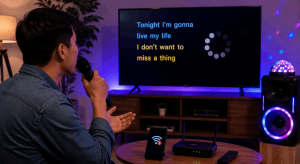
Using a TV for your karaoke lyrics is extremely popular, but TVs often add slight processing delays. These delays occur because TVs enhance video quality with image smoothing or motion enhancements. While this looks great for movies, it can disrupt lyric timing.
To sync karaoke lyrics on a TV display, start by disabling unnecessary video enhancements. Look for settings such as motion smoothing, picture processing, or digital enhancement. Turning these off reduces the delay significantly.
If your TV includes a “Game Mode,” enable it. Game Mode reduces processing time, making the display react more quickly. This is ideal for synced karaoke lyrics because it lowers lag.
Next, adjust your audio settings. Some TVs let you control audio delay automatically. Setting audio delay to zero often helps. If the lyrics still appear late, adjust the delay until everything lines up correctly.
With a bit of experimentation, your TV becomes a responsive, synchronized karaoke display that supports every performance beautifully.
Preventing Bluetooth Latency When You Sync Karaoke Lyrics
Bluetooth technology is convenient, but it can introduce latency that disrupts lyric timing. If you rely on Bluetooth speakers or headphones, this issue may affect your ability to sync karaoke lyrics accurately.
To reduce Bluetooth latency, keep your devices close together. Distance increases delay, so placing your speaker just a few feet away helps tremendously. Avoid obstacles like walls or furniture that may interfere with the signal.
Choosing a high-quality Bluetooth speaker also affects latency. Some speakers are designed for low-lag audio, especially those built for gaming or live performance. If your speaker supports aptX Low Latency technology, you’ll experience much smoother timing.
When Bluetooth issues persist, switching to a wired connection is often the simplest solution. A basic AUX cable eliminates latency almost entirely and helps you sync karaoke lyrics more reliably.
Adjusting Audio Delay on External Speakers
If you connect your karaoke setup to external speakers—soundbars, home theater systems, or amplifiers—you may encounter an audio delay caused by the speaker’s processing functions. In this case, adjusting the audio delay on your speaker helps sync karaoke lyrics effectively.
Many modern speakers offer audio delay settings in their setup menu. You can increase or decrease the delay to match your display. Some even have presets designed specifically for music or live performance.
When adjusting the delay, start with small changes. Test the timing repeatedly until your lyrics feel aligned with the audio. This may take a few tries, but once you find the correct timing, your setup becomes consistent and reliable.
Properly adjusted audio delay ensures your lyrics and music feel professionally synchronized, improving the overall experience of your karaoke performances.
Using External Karaoke Software for Advanced Syncing
Some singers prefer more control than apps provide. If you want advanced options, external karaoke software may help you sync karaoke lyrics more precisely. Programs like Karaoki, Kanto Player, and Siglos Karaoke Player offer detailed timing controls, making them popular with serious performers.
These tools allow you to adjust lyric timing, add custom delay values, and correct sync issues in real-time. They also support a variety of karaoke file formats, giving you more control over your playlist and presentation.
While software like this may require more setup, it offers professional-level syncing accuracy. If you frequently host parties or perform regularly, this level of control can make a noticeable difference.
Using advanced software ensures your lyrics always display at the right moment, creating a polished singing experience every time.
Troubleshooting Lyric Sync Problems Quickly
Even with preparation, lyric sync issues sometimes occur during a performance. Knowing how to troubleshoot quickly keeps the party moving and reduces frustration.
If lyrics delay suddenly, restart your app or video. This often resets the timing. Checking your internet connection also helps when streaming content. Closing background apps frees up processing power and may solve the issue immediately.
If a speaker suddenly falls out of sync, re-pair it or switch to a wired connection temporarily. Turning off and on your devices refreshes the connection and reduces latency.
When performing these quick fixes, stay calm and focused. A budget karaoke night or high-energy party should stay fun, and most syncing problems resolve within seconds.
Maintaining Sync Consistency for Future Performances
Once you learn how to sync karaoke lyrics effectively, maintaining consistency becomes much easier. Regularly updating your devices ensures they run smoothly. Keeping your apps current prevents compatibility issues. Testing your system before guests arrive also helps prevent unexpected delays.
Before every karaoke night, do a quick audio check:
- Play a short song
- Watch the lyric timing
- Adjust delay settings if needed
This simple routine helps keep your lyrics in sync long-term, ensuring every performance feels smooth and enjoyable.
Reducing Bluetooth interference also protects sync consistency. Turning off unused devices in the room prevents signals from competing. Using dedicated equipment for karaoke keeps your setup reliable.
With these simple habits, syncing karaoke lyrics becomes second nature.
Conclusion
Learning how to sync karaoke lyrics perfectly transforms your entire singing experience. By understanding your devices, optimizing display settings, reducing audio latency, and using built-in sync controls, you create a smooth, professional environment where every performance feels confident and enjoyable. Whether you’re hosting a party or practicing your favorite songs alone, synced lyrics keep you on rhythm and help you enjoy karaoke the way it was meant to be enjoyed—fun, expressive, and seamless.
FAQ
- Why are my karaoke lyrics delayed on my TV?
TV processing enhancements often cause delays. Turning off motion smoothing and enabling Game Mode helps. - Can Bluetooth cause lyric sync issues?
Yes. Bluetooth latency is common. Keeping devices close or using wired connections reduces delay. - Do karaoke apps allow lyric sync adjustments?
Many apps include timing tools that let you advance or delay lyrics manually. - Why are lyrics out of sync on YouTube karaoke videos?
Slow internet or device lag can cause delays. Restarting the video or lowering resolution helps. - How do I sync lyrics when using external speakers?
Adjust the audio delay in your speaker settings until the lyrics match the music.