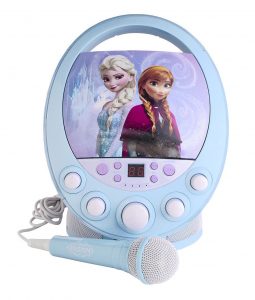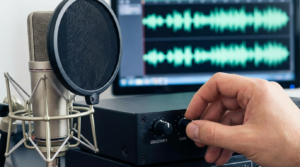
Choosing the best karaoke machine for kids starts with the family session you want to organize. Check the exact model’s age guidance, controls, song source and microphone arrangement. Make sure an adult can manage setup and sound. Then choose the lights or effects your child enjoys, without treating a fun appearance as a guarantee of safety or durability.
This guide follows a family from the buying checklist to the first singalong. It uses official product and safety information, not invented hands-on testing. The goal is a setup you can explain and use together. No machine is declared universally best, and no claim is made that buying one guarantees learning, confidence or another developmental outcome.
Write a small plan for your family
Decide where the equipment will sit, who will choose songs and how many people want microphones. A child’s independent play session and a family duet need different arrangements. Keep essential requirements separate from optional effects. That makes it easier to compare a few real products without being distracted by a long feature list.
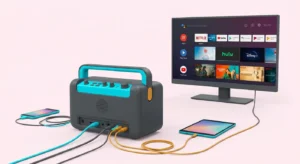
If a parent’s phone is needed for songs, include that device in the plan. Think about how lyrics will be shown and whether the person selecting music can also participate. A colorful speaker is only one part of the activity. Knowing the complete setup helps you avoid buying a machine that needs an additional screen or connection you had not considered.
Match the manufacturer guidance to the child
CPSC — Toy Safety advises following packaging’s age and safety information and choosing toys around children’s interests and abilities. Use the exact product instructions rather than one universal age rule for all karaoke equipment. Check warnings, stand assembly and supervision guidance. Similar names or pictures can refer to different versions with different requirements.
Look at where small accessories, cables and packaging will be kept. Younger siblings may share the room even when they are not the intended users. Ask whether the product can be stored in a place where an adult can manage its power accessories and loose parts. Do not infer safety certification from the words kids, junior or family.
Compare two documented starting points
The official VTech — Kidi Superstar Jr. page describes Kidi Superstar Jr. Karaoke for ages three to five, with built-in songs and Bluetooth music playback. Those listed features make it a candidate to inspect for younger supervised singing. Read its parent guide and confirm the actual controls and included accessories. This is a manufacturer description, not our own test of durability or ease of use.
The official VTech — Kidi Star Karaoke Remix page describes Kidi Star Karaoke Remix for ages five to ten, with mixer controls, a microphone-and-stand arrangement and an external music connection. It offers a different documented set of activities to investigate. Decide whether those controls match your child’s interest. More functions should answer a real need rather than become an automatic reason to buy.
Check music and lyrics before ordering
Choose whether the first session will use built-in songs or an external source. Read the exact model’s supported connection and the song service’s current access requirements. Confirm any subscription or extra device needed for the intended features. A music connection does not necessarily create a lyrics display on a television.
For a familiar-song session, make a short list the family can actually access. Check content and how songs are selected. If lyrics will be read from a tablet, plan where it will be positioned and who will handle it. You can begin with a simpler arrangement and add another connection later when a specific family need becomes clear.
Plan microphone turns or duets explicitly
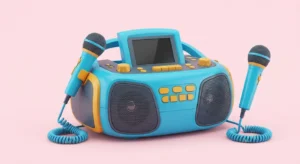
Find out what microphones are included and whether the system supports simultaneous use in the arrangement you want. A listing showing two accessories does not answer every compatibility question. Confirm receiver pairing, connectors and controls in the actual documentation. Do not assume a spare wireless microphone from another machine will work with this one.
Taking turns may be a better fit for the first session than adding more equipment immediately. Decide how microphones will be passed and stored. A wired microphone needs a route that avoids busy walkways; a wireless microphone needs its documented battery or charging arrangement. Match the setup to your space rather than treating one category as universally better for children.
Assemble the equipment with an adult
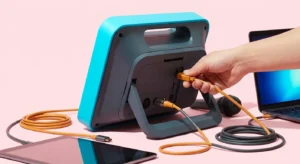
Use the manufacturer’s assembly and power instructions. Check that stands and holders are fitted as directed and that the required accessories are present. Do not substitute a charger merely because the plug fits. Keep the manual accessible so the controls can be identified without trial-and-error wiring or uncertain adapters.
Before inviting children to use the system, an adult can check music playback, microphone sound and the lyrics arrangement. Start with one source and one microphone. Add another device only after the first connection works. That sequence helps identify missing parts and avoids presenting children with several unfamiliar controls at once.
Keep the sound setup understandable
Shure — How to Control Feedback in a Sound System explains how a microphone and loudspeaker can create a feedback loop and discusses placement and level settings. Use that guidance alongside the machine’s instructions. Leave space around the loudspeaker and avoid aiming a microphone into it. A new microphone or higher setting is not automatically the solution to squealing or an unclear mix.
NIDCD — Noise-Induced Hearing Loss explains that loudness and exposure duration matter to noise-related hearing risk. The listening information here is general education, not medical advice. A child-oriented product or a volume-control button does not establish a safe listening exposure. Have an adult manage levels and plan pauses rather than encouraging a contest to sing over the loudest backing track.
Begin with a short, familiar activity
Choose one song and demonstrate the few controls needed for it. Let the child decide whether to sing, join an adult or play with an available sound effect. Keep the goal enjoyable participation rather than a performance score. This is a proposed family activity, not a claim that a particular machine has been proven to improve confidence or coordination.
If the control layout or song source becomes frustrating, simplify the arrangement. A built-in tune or shared family turn can be enough to start. You do not need to activate every feature because it was included in the product description. A clear beginning can show which extra functions your child actually wants to explore next.
Make an adult-managed reset routine
Decide how the next song is selected and how the machine returns to a basic starting state. Keep a small note with the control sequence if that helps your household. A family session is easier to repeat when someone knows which device supplies music and where the microphone controls are. Avoid relying on a single person to remember every connection.
If another singer wants different effects, change one setting at a time and show how to restore it. Keep the source device available for adult control. If you use a recording function, review where the file is stored and who will see it before sharing. Follow the product instructions rather than assuming every USB port records the same signals.
Store the kit for the next session
Follow the manufacturer’s cleaning and storage guidance. Keep microphones, cables and power accessories together so the next setup begins with the right parts. A soft carrying bag or sturdy-looking case is not a verified spill or drop rating. Check documented use conditions before taking the equipment to a different location.
If a connection, cable or compartment is damaged, stop using the affected item and seek the manufacturer’s guidance. Do not improvise a repair around children. Keep the model details and purchase documentation available for support. A routine of checking and storing the equipment is more useful than an unsupported promise that a particular children’s model withstands every kind of play.
Choose around a complete family setup
The best karaoke machine for kids shortlist should explain the age fit, songs, controls, microphones and complete cost for each candidate. Check current prices, included accessories and return terms for the actual seller. The manufacturer-documented examples here help you compare arrangements; they are not fabricated rankings or independent safety certifications.
Once the equipment arrives, confirm the model and parent guide, complete the adult setup check and begin with a song your family knows. Keep the activity flexible and let children find the parts they enjoy. A successful purchase decision is easier to assess when it rests on clear requirements and supported product information, with room for a relaxed family singalong.