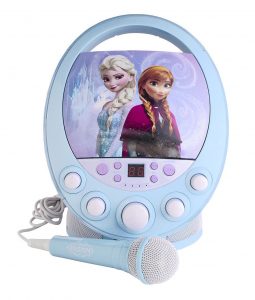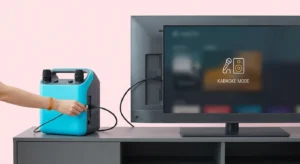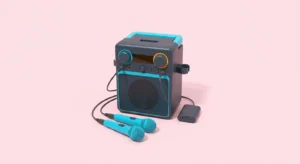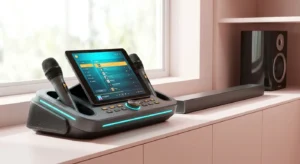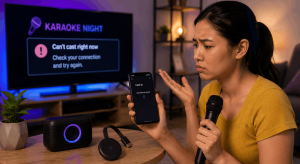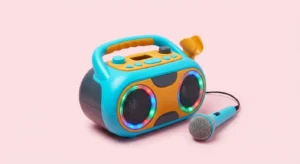
The best karaoke machine for kids is one that matches the manufacturer’s age guidance, your child’s interests and the way your family will play music. Look for understandable controls, a workable song source and an adult-manageable setup. Compare the exact model’s instructions before treating colorful styling, a microphone bundle or a large feature list as a reason to buy.
This guide compares three manufacturer-documented candidates and explains what to check for fun and durability. The descriptions come from official product pages; they are not personal test results. No model is declared universally best or certified safe by this article. Follow the product’s current instructions and packaging for the exact version you buy.
Start with the child and the singing session
Will your child use built-in songs, choose music with an adult or sing with siblings? Write that down before shopping. A machine that needs a parent’s phone for every song may suit a supervised family session but differ from the independent play you imagined. The controls and source arrangement matter as much as the appearance.
Check whether your child can comfortably reach the microphone position and understand the few controls needed for the first song. If you can see the product in person, inspect those actions. Do not infer usability from a promotional picture alone. Keep lights and voice effects on a separate wish list so the basics remain easy to compare.
Read age and use guidance first
CPSC — Toy Safety advises following toy packaging’s age and safety information and choosing around a child’s abilities and interests. Apply that guidance to the exact product you are considering. A category label such as kids’ karaoke does not create one suitable age range for every model. Follow the relevant warnings and adult-supervision instructions.
Look at detachable parts, cables, stand assembly and power arrangements. Ask how the equipment will be stored when younger children are nearby. If the required documentation cannot be found, resolve that gap before buying. An attractive design or a seller’s broad claim of child-friendliness should not replace the manufacturer’s specific instructions.
Candidate one: VTech Kidi Superstar Jr. Karaoke
The official VTech — Kidi Superstar Jr. page identifies this model for ages three to five and lists built-in songs, Bluetooth music playback and voice effects. Those documented features make it a candidate to examine for a younger child’s supervised singalong. They do not establish our own durability test or a guarantee that every child will find it easy to use.
Check the actual microphone arrangement, controls and included parts against your family’s plan. If Bluetooth playback matters, think about which adult device will supply the music and how the child will choose songs. If built-in songs are enough, try that simpler starting point. Confirm the current packaging and parent guide because similar product names can refer to different equipment.
Candidate two: VTech Kidi Super Star
The official VTech — Kidi Super Star page lists an age range of four to ten and describes built-in songs, games and a connection for an external music player. It is a different product from the junior model. Use those documented functions as comparison fields rather than assuming the age overlap makes the two machines equivalent.
A useful question is whether your child wants to sing familiar built-in material or whether the family needs a particular external music source. Check the required cable and playback device. If recording or voice effects interest your child, read how the exact functions work before promising a result. Manufacturer descriptions are specifications to verify, not independent evidence of educational improvement.
Candidate three: VTech Kidi Star Karaoke Remix
The official VTech — Kidi Star Karaoke Remix page lists this model for ages five to ten and describes mixer controls, a microphone with a stand, included songs and an external music connection. It is a candidate for families wanting to investigate music-mixing play alongside singing. No claim is made here that its extra controls are better for every child.
Compare the control layout with your child’s patience and interests. More buttons can offer more activities while also changing the setup you need to explain. Confirm what is supplied for power and what is optional. Check whether the stand or tabletop arrangement fits your available space instead of assuming a product photograph shows the only way it can be used.
Compare the candidates through the same checklist
For each model, record the manufacturer’s age guidance, song source, microphone arrangement, controls and included power accessories. Then mark which requirements are essential for your family. This is a comparison of documented features, not a ranked test. Current seller price and availability need to be checked separately for the exact version.
If a feature cannot be verified, write unknown rather than inventing a checkmark. Ask the manufacturer or consult the parent guide. A similar-looking retailer listing can combine images or descriptions from another product. Match the product name and number so the decision rests on the equipment you would actually receive.
Inspect durability without inventing a drop test
Look for the manufacturer’s stated use conditions and any documented rating relevant to your plans. A tough-looking shell does not prove resistance to spills or drops. Review handles, microphone storage and stand assembly when possible. Ask where the machine will be kept after play so accessories are not left where they can be damaged or misplaced.
Follow the product’s cleaning and battery instructions. Do not soak a microphone or use an unapproved charger because another machine permits it. If a part is damaged or a battery compartment no longer closes as instructed, stop using the affected equipment and seek the manufacturer’s guidance. This article supplies no independent impact, water-resistance or product-safety certification.
Keep sound and microphone placement practical
Shure — How to Control Feedback in a Sound System explains how sound from a loudspeaker can enter a microphone and create a feedback loop. Use the manufacturer’s setup instructions and leave a sensible space between microphone use and speaker placement. An adult should manage the controls rather than encouraging children to solve every sound problem by turning the level up.
NIDCD — Noise-Induced Hearing Loss explains that loudness and exposure duration matter to noise-related hearing risk. The listening information here is general education, not medical advice. A kids’ label, volume button or colorful case does not establish a safe listening exposure. Plan comfortable levels and pauses, and seek qualified guidance for individual hearing concerns.
Plan a first singalong before buying extras
Choose a few songs your family can access through the documented source. Decide who will change songs and whether another device will display lyrics. Audio playback alone does not guarantee a separate lyrics screen. If a product includes songs suitable for your plan, try those before adding an app, cable or subscription.
For siblings, check whether the machine supports the microphone arrangement you want rather than assuming two people can sing through two supplied accessories simultaneously. Taking turns can also be part of the evening. Keep the first setup easy to explain, and add a feature only when it answers a specific request your family has identified.
What about learning and confidence?
A family can use karaoke for shared play, practicing a favorite song or taking turns with a microphone. Those are activities you can choose; this guide does not claim that a machine guarantees language development, confidence or another measured outcome. Let the child decide whether singing, sound effects or another activity is enjoyable.
Avoid turning the first session into a performance test. Start with a familiar song and an adult-managed setup. If the controls or song source become frustrating, simplify the activity rather than assuming the child needs a more advanced machine. The right purchase should fit the play your family actually wants to organize.
Make a shortlist you can explain
The best karaoke machine for kids shortlist should have a clear reason for each candidate: documented age fit, preferred songs, usable controls and a complete setup. Compare actual current prices and return terms without assuming that a higher price guarantees durability. These manufacturer-documented examples help you ask concrete questions; they are not fabricated hands-on winners.
Before ordering, confirm the exact model, parent guide, included accessories and the device needed for external music. Keep those notes with the packaging when the machine arrives. Once the basic setup works, you can focus on songs and family turns. A well-matched singalong starts with clear requirements and supported product information, then leaves room for fun.