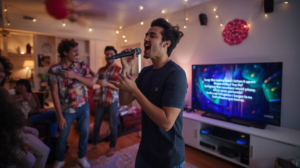
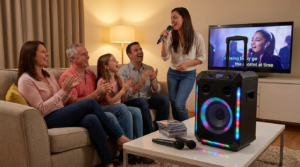
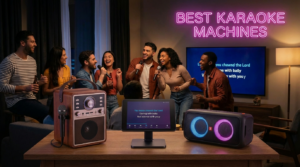
Looking to host a karaoke night without overspending? You’re in the right place. Whether you’re planning a cozy family sing-along or a fun night with friends, you don’t need to empty your wallet to make it unforgettable. With just a few budget-friendly tools and a little creativity, you can easily host a karaoke night without overspending—no need for expensive gear or paid music apps. This guide will show you exactly how to host a karaoke night without overspending while still creating an awesome, energy-filled event everyone will love.
Why Karaoke Nights Are the Ultimate Budget Party
Let’s face it—karaoke is a crowd-pleaser. No expensive tickets, no dress codes, and no judgment. Just music, laughter, and maybe a little off-key magic.
Perks of a Home Karaoke Night:
- It’s interactive and fun for all ages
- You don’t need decorations—music sets the mood
- It works in any space (living room, backyard, basement)
- It’s totally customizable with your favorite songs
- Costs a fraction of a night out
Step 1: Pick the Right Budget-Friendly Karaoke Machine
You don’t need pro gear. Many karaoke systems under $150 offer solid sound, wireless mics, Bluetooth, and built-in party lights.
Top Affordable Options:
JYX 66BT – Compact with 2 wireless mics and long battery life
EARISE T26 – Great for simple setup with one mic and good volume
Moukey MTs10-2 – Bigger sound for outdoor or large-group use
Karaoke USA GF720 – Includes lyrics screen and USB recording
Singing Machine SML625BTBK – Family favorite with disco lights and CD+G compatibility
Choose one based on your space, number of guests, and whether you need a screen or TV output.
Step 2: Use Free Karaoke Resources
Why pay for a song subscription when you’ve got YouTube?
Best Free Options:
- YouTube Karaoke Channels (KaraFun, Sing King, etc.)
- Free karaoke apps (Karaoke Lite, Yokee)
- MP3+G downloads for USB-compatible systems
Just stream lyrics from your smart TV or tablet for a smooth, screen-ready setup.
Step 3: Create a DIY Microphone Stand (Optional but Fun)
No stand? No problem. Try this:
- Use a broomstick or mop handle
- Place it in a weighted bucket or umbrella stand
- Add foam padding and duct tape to secure your mic holder
It’s a fun project, especially for kids, and keeps hands free for dancing!
Step 4: Set the Scene with Lights & Decor on a Dime
You don’t need expensive lighting to create a party vibe.
Budget-Friendly Decor Ideas:
- LED string lights or battery-powered fairy lights
- Cheap disco ball or mini LED light projector
- Blackout curtains or bedsheets as a backdrop
- DIY signs that say “Welcome to Karaoke Night”
- Glow sticks, hats, sunglasses, or wigs for flair
Set up a corner of the room as your “stage” and you’re golden.
Step 5: Organize a Karaoke Lineup
To keep things fair and fun, write down everyone’s name and song choices ahead of time. Rotate through the list so everyone gets a turn.
Bonus: Award Silly Prizes Like:
- Best Duet
- Most Dramatic Performance
- Funniest Song Choice
- Future Pop Star
- “Most Likely to Be on The Voice”
No need for real trophies—just make up silly titles and enjoy the laughs.
Step 6: Fuel the Fun with Snacks & Drinks
Keep it casual and budget-friendly. Think finger foods, popcorn, and drinks in solo cups. Make it BYO if you’re inviting a crowd.
Family Favorites:
- Nacho trays
- Mini pizzas
- Popcorn station
- Mocktails for kids (juice + soda + fruit garnish)
Simple snacks = less mess and more time to sing.
Final Tips for Karaoke Night Success
- Do a soundcheck before guests arrive
- Test your Bluetooth or AUX connections
- Keep mics charged or have batteries ready
- Use a second screen for lyrics if needed
- Have a “no booing” rule—it’s all for fun!
Remember: It’s not about who sings best—it’s about having the best time.
Final Thoughts: Big Fun, Small Budget
Hosting a karaoke night doesn’t have to cost a lot. With a little planning, a great budget-friendly karaoke machine, and your favorite people, you’ll have everything you need for an unforgettable night.
So dim the lights, grab the mic, and let the music take over. Because the best parties aren’t the most expensive—they’re the ones where everyone joins in.
FAQs
1. Can I host a karaoke night with just a Bluetooth speaker?
Yes, but for the full experience, a karaoke machine with a mic input or built-in microphones is best.
2. What’s the cheapest way to display lyrics?
Stream karaoke videos from YouTube on a smart TV, laptop, or tablet. It’s free and works with any Bluetooth-enabled karaoke machine.
3. Do I need more than one microphone?
Two is better for duets and faster rotations, but it’s not required. Many machines have two mic ports, even if they only include one mic.
4. Can kids use these machines easily?
Absolutely! Look for machines with simple controls, fun lights, and volume-limiting features like the Singing Machine or EARISE T26.
5. What’s the best overall budget karaoke setup?
The JYX 66BT offers dual wireless mics, great sound, and portability—all under $150.