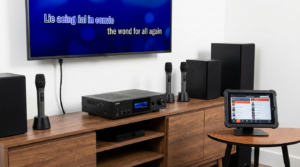
Karaoke microphone calibration is the difference between singing confidently and fighting your own sound. You’ve probably felt it before. The music starts, you sing the first line, and something feels wrong. Your voice sounds thin. Or it’s too loud. Or worse, a sharp screech of feedback steals the moment.
That experience isn’t about your voice. It’s about calibration.
When a microphone is properly calibrated, it works with you instead of against you. Your voice sits comfortably in the mix. Lyrics feel easier to follow. Confidence rises naturally. Suddenly, singing feels fun instead of stressful.
Whether you’re hosting casual karaoke nights or preparing for a big party, learning how to calibrate your microphone correctly changes everything.
Why Karaoke Microphone Calibration Matters So Much
Sound is feedback. Your brain constantly adjusts pitch, volume, and timing based on what you hear. If that feedback is distorted, your performance suffers.
Karaoke microphone calibration ensures that what you hear reflects what you’re actually singing. When levels are balanced, your voice sounds fuller and more controlled. As a result, timing improves and strain disappears.
Without proper calibration, even high-quality equipment sounds poor. With calibration, even simple setups feel professional.
That’s why calibration isn’t optional. It’s essential.
Understanding the Basics of Karaoke Microphone Calibration
Calibration means setting microphone input levels so your voice is captured clearly without distortion or feedback. It also involves balancing vocals with music.
Several elements work together:
- Microphone gain
- Volume level
- Distance from the mic
- Effects like echo or reverb
Each element affects the others. Adjusting one often requires adjusting another.
Karaoke microphone calibration works best when approached step by step rather than all at once.
Start with the Right Microphone Position
Before touching any settings, start with technique. Microphone position matters more than people realize.
Hold the microphone about two to three inches from your mouth. Angle it slightly instead of pointing directly at your lips. This reduces harsh sounds and popping.
Avoid gripping the grille. That blocks sound flow and causes distortion. Hold the body instead.
Good technique simplifies calibration instantly.
Setting Microphone Gain During Calibration
Gain controls how much signal the microphone sends into the system. Too much gain causes distortion and feedback. Too little makes vocals weak.
During karaoke microphone calibration, start with gain low. Sing at your normal performance volume. Slowly raise gain until your voice becomes clear and present.
Stop increasing gain as soon as clarity appears. Louder isn’t better. Clean is better.
Proper gain creates a strong foundation for all other adjustments.
Adjusting Microphone Volume Separately
Gain and volume are different. Gain controls input sensitivity. Volume controls output loudness.
After setting gain, adjust microphone volume so your voice sits comfortably above the music. You should hear yourself clearly without overpowering the track.
If your system has separate controls, use both intentionally. Gain sets quality. Volume sets balance.
Understanding this distinction prevents many common problems.
Balancing Music and Vocals Correctly
Music-vocal balance defines karaoke quality. If music is too loud, singers strain. If vocals are too loud, performances feel awkward.
During karaoke microphone calibration, lower music volume slightly before adjusting vocals. Then raise vocals to match.
Your voice should feel supported by the music, not buried in it.
Balanced sound reduces fatigue and improves confidence.
Using Echo and Reverb During Calibration
Echo and reverb enhance vocals when used lightly. They smooth imperfections and add warmth.
However, too much effect hides pitch and causes muddiness. During calibration, start with effects off or very low.
Add echo gradually. Stop when vocals feel fuller, not distant.
Effects should polish sound, not replace good technique.
Preventing Feedback While Calibrating
Feedback happens when microphones pick up sound from speakers. Calibration helps prevent it.
Keep speakers in front of singers, not behind them. Reduce gain if feedback appears. Lower effect levels if needed.
Move the microphone away from speakers slightly. Small changes matter.
Karaoke microphone calibration isn’t complete until feedback risk is minimized.
Calibrating Karaoke Microphones for Different Voices
Every voice behaves differently. Some are soft. Others are powerful.
Calibrate using the loudest singer first. This prevents clipping later. Softer singers can raise volume slightly if needed.
If multiple singers use the same mic, find a balanced middle ground.
Consistency matters more than perfection.
Wireless Karaoke Microphone Calibration Tips
Wireless microphones introduce extra variables. Signal strength and interference affect sound.
During calibration, ensure batteries are fully charged. Weak batteries reduce clarity and increase noise.
Position the receiver away from routers or other wireless devices. Interference causes dropouts.
Wireless systems require extra attention during calibration, but they perform beautifully when set correctly.
Calibrating Multiple Microphones at Once
Group karaoke needs consistency across microphones.
Calibrate each microphone individually using the same reference volume. Match gain levels as closely as possible.
Test singers switching microphones. Levels should feel similar.
Balanced microphones keep performances fair and smooth.
Room Acoustics and Microphone Calibration
Rooms shape sound. Hard surfaces reflect audio. Soft furnishings absorb it.
In echo-heavy rooms, reduce reverb and gain slightly. In heavily furnished rooms, increase presence carefully.
Walk around the room while testing. Listen from different positions.
Calibration adapts equipment to space, not the other way around.
Using Equalizer Settings in Calibration
Some karaoke systems include equalizers. These adjust tone rather than volume.
Boost midrange slightly for clearer vocals. Reduce excessive bass if voices sound muddy. Lower harsh highs if sound feels sharp.
Make small adjustments. Extreme EQ changes often create new problems.
Subtle tuning delivers the best results.
Calibrating Microphones for Kids vs Adults
Children’s voices are lighter and higher. Adults’ voices are fuller and lower.
For kids, lower gain and effects slightly. This reduces shrillness. For adults, add warmth gently if needed.
Separate profiles work well when available. If not, choose neutral settings.
Adaptation keeps everyone comfortable.
Common Karaoke Microphone Calibration Mistakes
Several mistakes appear often:
- Setting gain too high
- Relying on effects instead of balance
- Ignoring room acoustics
- Calibrating at unrealistic volumes
Avoiding these mistakes improves sound instantly.
Calibration should reflect real performance conditions.
Testing Your Calibration Properly
Testing matters as much as adjusting.
Sing loudly and softly. Move slightly while singing. Switch singers if possible.
Listen for distortion, feedback, or imbalance. Make small corrections.
Calibration is iterative. One pass is rarely enough.
How Often Karaoke Microphone Calibration Is Needed
Calibration isn’t one-and-done.
Recalibrate when:
- Changing rooms
- Adding new microphones
- Hosting different groups
- Adjusting speakers
Small recalibrations maintain quality.
Regular checks prevent surprises.
Calibrating Microphones with External Sound Systems
External speakers and mixers add complexity.
Calibrate microphone gain at the mixer first. Then adjust system volume.
Avoid maxing out any single component. Spread adjustments evenly.
Balanced systems sound cleaner and last longer.
Microphone Technique Reinforces Calibration
Good calibration fails without good technique.
Remind singers to maintain distance and angle. Avoid covering the grille.
Technique consistency preserves calibration.
Education supports equipment.
Why Proper Calibration Builds Singing Confidence
Confidence grows when singers trust what they hear.
Clear sound removes uncertainty. Balanced feedback supports expression.
Karaoke microphone calibration creates a safe audio environment.
That safety encourages boldness.
Using Calibration to Reduce Vocal Strain
Poor sound causes singers to push harder. That strains voices.
Good calibration reduces the need to shout. Voices stay relaxed.
Comfortable singing lasts longer and feels better.
Health matters too.
Adapting Calibration for Party Environments
Parties get loud. Calibration must account for noise.
Increase vocal presence slightly. Maintain clarity without distortion.
Monitor levels as the night progresses.
Dynamic environments require dynamic calibration.
Troubleshooting Calibration Problems Quickly
If sound suddenly worsens, check basics.
Look for moved speakers. Check battery levels. Verify volume changes.
Simple checks solve most issues.
Calm troubleshooting preserves momentum.
Creating a Simple Calibration Routine
Consistency simplifies calibration.
Use the same song for testing. Sing the same verse. Adjust in the same order.
Routine builds efficiency.
Soon, calibration feels automatic.
Conclusion
Karaoke microphone calibration transforms singing from a guessing game into a confident performance. By adjusting gain, volume, balance, and effects thoughtfully, you create clear sound that supports every voice. Proper calibration reduces feedback, prevents strain, and builds confidence naturally. When microphones are tuned correctly, singers stop fighting the system and start enjoying the music. Clear sound isn’t luck. It’s preparation, and it makes every karaoke session better.
FAQ
1. What is karaoke microphone calibration?
It’s the process of adjusting microphone gain, volume, and effects for clear, balanced sound.
2. How do I know if my microphone gain is too high?
Distortion, feedback, or harsh sound usually indicate excessive gain.
3. Should I calibrate microphones before every karaoke session?
It’s recommended when changing rooms, equipment, or group size.
4. Can echo hide poor microphone calibration?
Echo may mask issues, but it usually creates muddiness and doesn’t fix balance problems.
5. Does microphone calibration really improve confidence?
Yes. Clear audio feedback helps singers relax and perform more naturally.