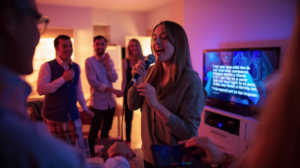
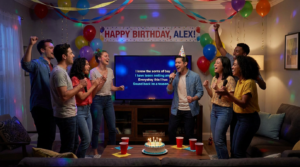
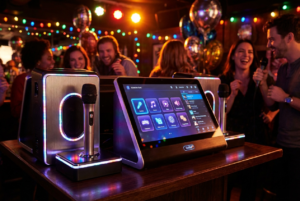
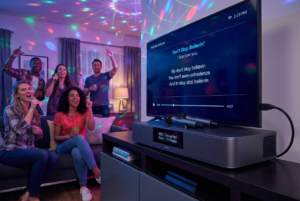
Setting up karaoke using a projector feels like turning your home into a small concert venue. Instead of huddling around a tiny screen, everyone looks up together. Because of that shared focus, energy builds almost instantly.
Many hosts worry the setup will feel complicated. In reality, once you set up karaoke projector systems correctly, everything feels surprisingly simple. The technology fades away, and the fun takes over.
More importantly, big-screen karaoke changes how people perform. Confidence improves. Timing feels easier. Even shy guests sing louder when the lyrics are easy to follow.
This guide walks you through every step in a clear, practical way. By the end, you’ll know how to create a projector-based karaoke setup that feels effortless and exciting.
Why Using a Projector for Karaoke Makes a Difference
Projectors change the dynamic of karaoke in a powerful way. Instead of staring at a small display, guests share one large focal point. As a result, participation increases naturally.
Because lyrics appear larger, singers stay on beat more easily. Timing improves, and fewer lines are missed. Consequently, performances feel smoother and more confident.
In addition, projectors create atmosphere. A blank wall becomes a stage backdrop. The room suddenly feels intentional rather than improvised.
Another advantage is flexibility. Projectors work well in living rooms, garages, and outdoor spaces. Therefore, your karaoke night is no longer limited by screen size.
Understanding the Basic Karaoke Projector Setup
Before connecting anything, it helps to understand the basic components. Every karaoke projector setup includes three core parts working together.
First, you need a karaoke source. This can be a karaoke machine, a laptop, a smartphone, or a streaming device. That source provides the music and lyrics.
Next comes the projector. It displays lyrics and visuals on a wall or screen. Usually, it connects through HDMI or wireless mirroring.
Finally, you need a sound system. Some karaoke machines include speakers, while others rely on external audio.
Once these parts connect properly, the system functions as one seamless experience.
Choosing the Right Projector for Karaoke Use
Not every projector suits karaoke equally well. Brightness should be your first consideration.
If the room is dark, a lower-lumen projector may work fine. However, brighter rooms need higher lumens to keep lyrics visible.
Resolution matters too. Clear text reduces eye strain and mistakes. Full HD projectors provide crisp visuals that make reading effortless.
Additionally, throw distance affects placement. Short-throw projectors work well in smaller rooms. Standard models suit larger spaces.
Choosing the right projector early prevents frustration later.
Selecting a Karaoke Source That Works Well
Your karaoke source shapes the entire experience. Therefore, choosing one that fits your comfort level is important.
Dedicated karaoke machines offer simplicity. Many include HDMI outputs that connect directly to projectors.
Laptops provide flexibility. Karaoke software and streaming platforms offer huge song libraries.
Smartphones and tablets also work. Screen mirroring sends lyrics to the projector wirelessly or through adapters.
Regardless of choice, reliability matters most. A stable source keeps the night flowing smoothly.
Connecting the Karaoke Source to the Projector
Connection is usually straightforward. HDMI remains the most reliable option for most setups.
Start by connecting one end of the HDMI cable to the karaoke source. Then, connect the other end to the projector. After that, select the correct input.
Wireless mirroring can work when cables are inconvenient. Still, wired connections often provide better stability and less delay.
Adapters may be required for some devices. Testing them beforehand saves time and stress.
Once connected, visuals should appear immediately.
Setting Up the Sound System Correctly
While visuals matter, sound quality determines enjoyment.
Some projectors include built-in speakers. These work for small gatherings but often lack power and depth.
External speakers improve clarity and volume. They connect directly to the karaoke source or karaoke machine.
Speaker placement matters. Position them facing the audience. Keep microphones behind speakers to reduce feedback.
Balanced sound supports confident singing.
Using Microphones With a Projector Karaoke Setup
Microphones bring karaoke to life. Wireless microphones offer freedom and reduce clutter.
Many karaoke machines include pre-paired wireless mics. Pair them before guests arrive.
If using external microphones, connect them through a mixer or karaoke unit.
Adjust microphone volume gradually. Sudden increases often cause feedback.
Clear vocals encourage participation.
Projector Placement for Best Viewing
Placement affects readability. Aim the projector at a flat, light-colored surface.
Walls work well, although screens improve clarity. Avoid textured surfaces when possible.
To reduce keystone distortion, position the projector straight on. Minor adjustments improve image shape.
Careful focus ensures crisp lyrics, which reduces missed lines.
Good placement makes karaoke feel effortless.
Managing Lighting for Karaoke Projection
Lighting strongly affects projection quality. Too much light washes out lyrics.
Dim the room slightly while keeping seating areas comfortable.
Avoid lights shining directly on the projection surface.
For outdoor setups, waiting until dusk improves visibility.
Balanced lighting supports both comfort and clarity.
Using Karaoke Apps With a Projector
Karaoke apps greatly expand song options. They work well with projector setups.
Apps run on phones, tablets, or laptops. Screen mirroring sends visuals to the projector easily.
Many apps update regularly. New songs stay available.
Subscription services often provide higher-quality tracks and better timing.
Using apps adds flexibility without complexity.
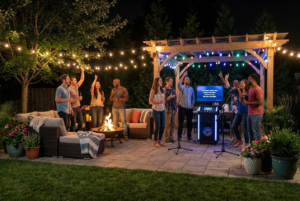
Projector Karaoke for Outdoor Events
Outdoor karaoke adds excitement and novelty.
Choose a bright projector to combat ambient light. Higher lumens make a noticeable difference.
Protect equipment from moisture. Covers and tables help.
Portable speakers fill open spaces more effectively.
With preparation, outdoor karaoke feels like a mini festival.
Preventing Common Projector Karaoke Problems
Preparation prevents most issues. Testing equipment before guests arrive is essential.
Check cables, adapters, and batteries. Weak batteries cause dropouts.
Have backup cables ready. Small precautions save the night.
When problems arise, staying calm keeps energy positive.
Improving Lyrics Visibility for Group Singing
Large fonts improve readability. Adjust text size when possible.
High-contrast backgrounds help lyrics stand out.
Avoid busy visuals that distract from text.
Clear lyrics boost confidence and group participation.
Managing Song Flow With a Projector Setup
Flow keeps energy high throughout the night.
Create a simple sign-up list. This avoids confusion.
Rotate singers fairly. Everyone feels included.
Short transitions and applause fill gaps naturally.
Smooth flow feels professional and relaxed.
Creating a Stage Feel With Projector Karaoke
Projectors naturally create a stage effect.
Designate a singing area below the screen.
Encourage performers to face the audience.
Even small gestures enhance presence.
The stage feel builds confidence.
Using Themes With Projector Karaoke
Themes add excitement and structure.
Decades, genres, or movie nights work well.
Visuals support themes easily on a big screen.
Themes simplify song selection and boost engagement.
Helping Shy Singers Feel Comfortable
Big screens can feel intimidating at first.
Start with group songs to reduce pressure.
Cheer loudly and support every performance.
Remind guests that fun matters more than talent.
Comfort leads to participation.
Why Projector Karaoke Feels More Engaging
Large visuals draw attention instantly.
Shared focus builds connection.
Energy spreads faster in groups.
Performances feel meaningful.
Engagement rises naturally.
Maintaining Your Karaoke Projector Setup
Maintenance keeps equipment reliable.
Clean projector lenses regularly.
Store cables carefully to avoid damage.
Charge microphones fully before use.
Simple care extends lifespan.
Budget-Friendly Projector Karaoke Options
Projector karaoke does not require premium gear.
Affordable projectors work well in darker rooms.
Free apps provide song access.
Existing speakers reduce costs.
Smart planning keeps budgets reasonable.
Upgrading Your Karaoke Projector Setup Over Time
Start simple and upgrade gradually.
Better speakers improve sound first.
Brighter projectors enhance visibility.
Higher-quality microphones boost vocals.
Incremental upgrades work best.
Why Projector Karaoke Creates Lasting Memories
Big screens amplify moments.
Performances feel cinematic.
Laughter carries farther.
Memories stick longer.
Shared experiences matter.
Conclusion
Learning how to set up karaoke projector systems transforms ordinary karaoke into a big-screen experience. With the right connections, balanced sound, and thoughtful placement, anyone can create a concert-style atmosphere at home or outdoors. When lyrics stay clear and sound flows smoothly, confidence rises and fun follows. Set it up once, and every karaoke night after feels effortless and unforgettable.
FAQ
1. Can I use any projector for karaoke?
Yes, although brighter projectors with clear resolution work best.
2. Do I need a special karaoke projector?
No, standard projectors work well with karaoke machines or apps.
3. Can I use my phone for projector karaoke?
Yes, screen mirroring or adapters make phone-based karaoke easy.
4. Is a projector better than a TV for karaoke?
Projectors offer larger visuals, which support group participation.
5. How loud should speakers be for projector karaoke?
Loud enough for clarity, but balanced to avoid distortion and fatigue.