To fix karaoke microphone feedback, lower or mute the microphone first, then check speaker placement, microphone position and the controls for that input. Change one thing at a time and keep tests quiet. A repeated voice or echo effect needs a different check from a sustained squeal; identify the sound before changing the whole system.
Stop the noise before investigating it
If the system suddenly squeals, turn down or mute the microphone using its documented controls. Pause the song if needed and let everyone step away from uncomfortable sound. Do not keep a loud tone running while looking for a setting. The first goal is a quiet system you can examine without rushing.
Ask one person to manage the controls and another to hold the microphone in the intended singing position. If children are involved, let an adult do the troubleshooting. Explain which control will change before adjusting it so a singer is not surprised by an unexpected jump in level.
This guide is for ordinary karaoke setup checks, not electrical repairs or medical advice. Follow the manufacturer’s instructions. The NIDCD — Noise-Induced Hearing Loss explains that loud sound exposure can harm hearing. Stop if sound is uncomfortable and seek qualified advice for persistent hearing concerns; do not use your hearing as a test instrument for deliberately loud feedback.
Distinguish feedback from other unwanted sounds
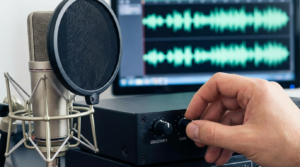
Shure — How to Control Feedback in a Sound System describes acoustic feedback as a loop in which loudspeaker sound is picked up by a microphone and amplified again. It can produce a sustained tone, howl or squeal. That mechanism is different from a voice effect that deliberately repeats words or adds reverberation.
Write down what you hear before resetting everything. Does the sound happen only when the microphone is on? Does it continue after the backing track stops? Is it a sustained tone or a repeat of your spoken phrase? These observations help you select the next check and explain the problem to support if it persists.
For a repeated voice, inspect the machine’s echo or effects control in the manual. For unwanted sound from music alone, mute the microphone and check the playback path. A buzz or crackle should not automatically be treated as feedback. Avoid guessing an electrical fault or repeatedly buying microphones without identifying the symptom.
Map the actual controls
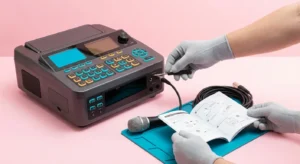
Find the manual for the full model number. Locate microphone level, music level and master output if the machine provides separate controls. Your unit may combine some functions or use different names. A phone’s music volume, a microphone input control and the speaker’s main output are different places to make an adjustment.
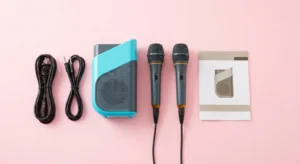
Create a simple note: phone feeds music, microphone feeds voice, speaker produces both. Add any mixer or television that is genuinely part of the arrangement. If there are two amplified speakers playing the same source, include both. You want a map of your equipment, not a generic diagram that assumes connections you do not have.
The Yamaha — Gain Staging guide explains the purpose of setting levels through an audio system. Use your own manufacturer’s instructions for specific knobs and connections. There is no universal clock-face position or slider number that guarantees a stable karaoke setup in every room.
Check the speaker and singer positions
Start with the placement allowed by the equipment instructions. Put the speaker on a stable appropriate support and keep the controls reachable. Mark a comfortable singing position where the microphone will not be pointed into the speaker. Keep walking routes and cables in mind before moving equipment across the room.
As a practical check, sketch where the singer, speaker and listeners stand. If singers keep stepping beside the speaker to see the lyrics, move the lyric display to a more useful place. If the microphone is handed to someone sitting elsewhere, plan that position too. A setup that works for one person can need another quiet check after a handover.
Shure identifies microphone placement, excess gain and multiple open microphones as feedback considerations in its Shure — How to Control Feedback in a Sound System guidance. Address those fundamentals before shopping for accessories. A directional microphone also needs the appropriate orientation; check its maker’s pickup-pattern information instead of assuming every microphone rejects sound in the same direction.
Rebuild the sound in a controlled sequence
With the output low and the backing track paused, enable one microphone according to the manual. Have the singer speak normally in the intended position. Raise only the necessary control gradually until speech is comfortably audible. If a tone starts, lower or mute it promptly and revisit placement rather than pushing the level higher.
Next, add the music at a comfortable level and listen for whether the words remain understandable. If the voice seems buried, try reducing the backing track before raising every control. Write down which adjustment helped. Keep the test short and stop rather than repeatedly provoking the same unwanted sound.
Turn unused microphones off or mute their inputs. If you need a duet, check one microphone first and then add the second at low levels. Record whether the problem appears only when both are active. That is a useful support detail and a reason to review the two positions and input controls separately.
Treat effects and equalization as later checks
If the unit offers voice effects, begin with the simpler documented settings so you can hear the microphone clearly. Add an effect only after the basic voice and music arrangement is comfortable. Note the change, especially if a repeat or reverberation effect was being mistaken for microphone feedback.
Do not apply a copied frequency chart or dramatic equalizer boost because another room used it. Shure discusses equalization as a tool alongside placement and levels in Shure — How to Control Feedback in a Sound System. For a beginner, the useful next step is often the manufacturer’s setup guidance or a qualified sound technician, especially when ordinary checks do not resolve the problem.
Do not deliberately raise volume until feedback appears as a party-room experiment. Avoid opening the speaker or microphone to attempt a repair. If the manual warns against a connection, adapter or operating condition, stop using that arrangement rather than trying to correct its symptoms with effects.
Keep a troubleshooting record
A short record makes the next session easier. Write the model, music source, microphone type, connection method and approximate room arrangement. Describe the unwanted sound in plain words and note whether it occurred with one microphone, two microphones or music alone. Avoid filling the record with guesses about the cause.
For example, a useful note is: one wired microphone, speaker near the television, squeal began when the singer moved closer to the speaker, stopped after lowering the microphone level. This is an illustrative format, not a report of our testing. A support team can ask more focused questions when you describe the actual sequence.
Save the documented connection diagram and any settings you found comfortable. Treat them as a starting point for that room, not a guarantee for another venue. Check quietly again after moving the speaker, changing microphones or adding another sound device.
When to ask for help
Contact manufacturer support if the problem persists with the recommended connections and ordinary low-level setup. Tell them what you observed and ask whether the specific microphone and accessories are compatible. If equipment is damaged or behaving outside its instructions, stop using it until it has been assessed appropriately.
For a larger gathering, an experienced sound operator may be able to review placement and controls before guests arrive. Ask them to explain a practical operating routine so the person handling songs knows what to change and when to stop. The aim is a repeatable session, not the highest possible output.
Frequently asked questions
Will a new microphone solve every feedback problem?
A different microphone is not a guaranteed cure. First check the documented setup, placement and controls. If you are considering a replacement, verify compatibility and the intended use with the manufacturer rather than assuming a higher price resolves the problem.
Why does the problem return when another person sings?
Note changes in position, microphone handling and control adjustments. Recheck at low levels with the new singer in place. A clear handover routine is useful when guests take turns, especially if the lyric screen encourages them to move toward the speaker.
What is the simplest prevention routine?
Before each session, confirm the connections, choose the singing position, start with comfortable low levels and leave unused microphones off. Keep one person responsible for adjustments. If unwanted sound begins, lower or mute the affected input and investigate calmly before resuming.