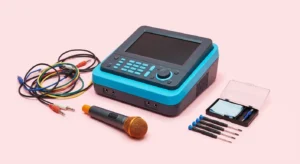
The best portable karaoke systems fit the whole trip: carrying the equipment, powering it, connecting music, seeing lyrics and using a microphone. Choose the location first, then check the exact model’s inputs, included accessories and power instructions. This is a practical planning guide based on manufacturer documentation, not a report of battery or outdoor sound tests.
Plan the session before comparing speakers
Write a short description of the event. A few songs at a friend’s apartment, a family gathering in a garden and a rented party room involve different carrying and setup decisions. Note whether there is permission to play amplified music, an appropriate dry place for equipment, a power outlet and a screen everyone can see.
Count everything you would carry, including the microphone, music device, cables, charger and any stand. A compact speaker is only one part of a portable karaoke system. If the bag leaves no room for its power supply or your phone runs out of charge, the setup is incomplete even when the speaker itself still works.
Make one person responsible for the equipment checklist and another for the playlist. That can be the same person at a small gathering, but both jobs need doing. Decide who will control music playback so that guests do not repeatedly reconnect different phones between songs.
Choose the type of system you need
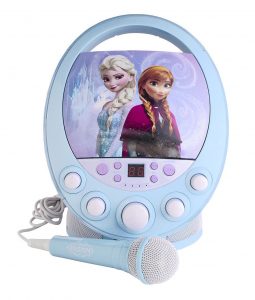
A small all-in-one karaoke unit is worth investigating if you want a simple package. Confirm what it actually includes: a microphone, music playback method, effects and possibly a display. Do not infer those features from the word karaoke in the product title. Read the manual and package contents for the exact model.
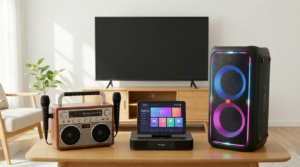
A portable party speaker may be another candidate if it has a suitable microphone input. It still needs a music source and a lyrics arrangement. A microphone input does not establish that a microphone is supplied. Likewise, a guitar input may be useful for another activity but is not automatically a second vocal channel.
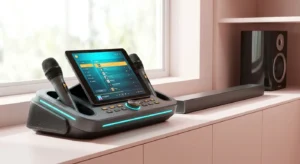
A small portable PA can suit a session where you want separate microphone and music controls. Compare the extra setup tasks with your experience and carrying space. If a listing describes a mixer, check the actual connections and instructions rather than assuming it handles every source or accessory you own.
A documented example to investigate
The official JBL PartyBox Encore Essential 2 specification sheet lists microphone and guitar inputs. See the JBL — PartyBox Encore Essential 2 specification sheet for the exact model details and package contents. Use it as an example of checking an input-capable party speaker, not as evidence that it wins a karaoke sound comparison.
Before choosing a candidate like this, confirm the microphone you intend to use, the music connection and where the lyrics will appear. Find its current instructions for charging and operation. The specification sheet and manual answer different questions: one summarizes the product, while the other explains how to use its controls and connections.
For dedicated karaoke products, the Singing Machine — Product Manuals page provides a route to model-specific instructions. Match the full model number, including any suffix, to the item you are considering. A manual for a similar-looking machine is not sufficient evidence for the listing in front of you.
Read battery claims carefully
A manufacturer’s advertised running time is a condition-dependent claim, not a promise for your party. Check the stated test conditions and whether microphone use, lights or other settings are included. Do not plan the event around an unsourced typical battery range or assume maximum volume gives the same duration as another setting.
Ask how the unit charges and which power supply is specified. Check whether your intended power source is permitted by the maker. A familiar-looking charging connector does not prove compatibility with every cable, adapter or power bank. Pack the correct supply and avoid improvising a connection from unrelated equipment.
Prepare a backup plan that fits the venue. That might be a shorter playlist, a suitable approved mains connection or simply ending the amplified portion earlier. Charge the music device too. If lyrics rely on a tablet, include its power needs in the plan instead of treating the speaker battery as the only limit.
Verify music, microphones and lyrics separately
Draw three boxes on your checklist: music source, microphone connection and lyric display. For each one, record the device and cable or wireless method. This prevents a common buying misunderstanding: an audio connection does not necessarily transmit a lyric screen or support every microphone arrangement.
Try your planned source device with the actual machine before leaving when possible. Open a song, play it, stop it and choose another. Then speak through the microphone and check that its level can be adjusted as needed. Follow the manual for any pairing or input selection rather than copying steps from a different model.
If music will come from an app, check access and playback at the destination. Do not assume a subscription, internet connection or offline feature will work without verification. Prepare only material you are entitled to use and give the person choosing songs a clear way to operate the device.
Keep the setup manageable at the destination
Choose a stable position for the speaker and keep its controls accessible to the person managing sound. Put the lyric device where a singer can read it without leaning over equipment. Leave room to pass the microphone and keep cables out of the route people use to move around.
Portable does not establish weather resistance. Check the maker’s environmental guidance before planning an outdoor session. Use a dry appropriate location and stop using equipment if conditions no longer meet its instructions. Do not put a cover over vents or improvise a waterproof enclosure without manufacturer guidance.
If sound starts to squeal, lower or mute the microphone rather than continuing the song at the same setting. Shure — How to Control Feedback in a Sound System explains the microphone-and-loudspeaker loop behind acoustic feedback. Placement and levels matter even when a system is small. A person holding a wireless microphone still needs to know where the speaker is.
Compare the complete purchase cost
Create a list of the speaker, microphone, required cables, power supply, case and lyric device. Mark what you already own and what the package includes. Then compare the cost of the missing items. Avoid ranking products by an unverified headline price or assuming a pictured accessory is included.
Check return conditions and support before purchase. If the retailer permits a demonstration, use a familiar track and speech at a comfortable listening level. Ask which processing settings are active. That can help you assess suitability without relying on wattage alone or claiming that a specification predicts a particular room’s sound.
Pack, set up and pack away in a repeatable order
At home, put the microphone and essential cable in the same bag as the speaker’s approved supply. Add the music device and any stand required for lyrics. Make a short written inventory so that someone else can help carry the kit without leaving an essential component behind.
At the venue, position equipment first, connect it according to the manual, then check a track and microphone at low levels. Agree who can change the controls. When finishing, lower the levels, stop playback and follow the shutdown instructions before disconnecting and storing equipment.
Keep listening comfortable and take breaks. The NIDCD — Noise-Induced Hearing Loss describes the hearing risks of loud sound exposure. This is general listening and equipment guidance, not medical advice. Stop if sound is uncomfortable; a louder session is not automatically a better one, and a portable system does not need to fill every nearby space.
Frequently asked questions
Are wireless microphones essential?
No universal choice fits every trip. Compare their pairing, power and replacement requirements with a wired option and your carrying plan. Confirm compatibility with the specific system instead of buying solely on the word wireless.
Can a Bluetooth speaker be used for karaoke?
Check whether it accepts the microphone you intend to use and how the voice is amplified. A speaker that receives music over Bluetooth is not automatically a complete karaoke system. You also need a workable lyric display and controls for the session.
What should I check first?
Start with the destination, the complete carrying load and the connection diagram. Those details narrow the choices before lights, effects or a headline power figure distract you. Choose a system whose documented setup you can reproduce comfortably wherever you intend to sing.