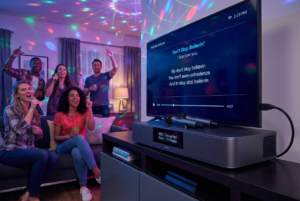
If you’ve ever sung your heart out on a karaoke machine and felt underwhelmed by the sound, you’re not alone. Built-in speakers are convenient, but they often lack depth, volume, and clarity. That’s why many people choose to connect karaoke machine speakers externally. It’s like upgrading from a flashlight to a floodlight. Suddenly, everything shines brighter.
Connecting a karaoke machine to external speakers may sound technical. However, it’s far simpler than most people expect. With the right cables, basic understanding, and a few careful steps, anyone can do it. You don’t need to be an audio expert. You just need patience and a clear path forward.
This guide walks you through that path. Along the way, you’ll learn what ports matter, how different speaker types behave, and how to avoid common mistakes. By the end, your karaoke setup will sound fuller, louder, and far more professional.
Let’s break it down in a way that feels manageable and even a little fun.
Why Connect a Karaoke Machine to External Speakers
Before diving into cables and connections, it helps to understand why this upgrade matters. Karaoke is about energy. Music should fill the room. Vocals should cut through without strain. Unfortunately, built-in speakers often struggle to deliver that experience.
External speakers offer better sound projection. They push audio outward instead of trapping it inside a small box. As a result, voices sound richer. Music feels more alive. Even background harmonies become noticeable.
Another advantage is control. External systems usually allow volume adjustments, bass tuning, and balance tweaks. That flexibility lets you adapt to different rooms. A living room needs a different sound than a backyard party.
Additionally, connecting external speakers reduces distortion. When a karaoke machine is pushed too hard, sound quality suffers. External speakers handle higher volumes with ease, keeping everything clean.
In short, when you connect karaoke machine speakers externally, you elevate the entire experience.
Understanding Your Karaoke Machine’s Audio Outputs
Every connection starts with knowing what you’re working with. Karaoke machines come with different output options. Identifying yours is the first step.
Most machines include RCA outputs. These are usually red and white ports. They’re common and easy to use. Some machines also offer a 3.5mm audio output, similar to a headphone jack. Others include optical or HDMI outputs, especially modern units.
Look at the back or side of your machine. Labels often help. Words like “Audio Out,” “Line Out,” or “Output” are your clues. If the ports aren’t obvious, the user manual usually clarifies things.
Once you know the output type, choosing the right cable becomes straightforward. Matching ports is like matching puzzle pieces. When they fit, sound flows smoothly.
Choosing the Right External Speakers
Not all speakers behave the same way. Choosing the right type affects both sound quality and ease of setup.
Powered speakers are the simplest option. They have built-in amplifiers, which means they don’t need extra equipment. You connect them directly to the karaoke machine, adjust the volume, and you’re ready.
Passive speakers, on the other hand, require an external amplifier. They can deliver excellent sound, but the setup is more complex. If you’re new to audio systems, powered speakers are usually the better choice.
Home theater systems also work well. Many people already own them, which makes them a convenient option. Bluetooth speakers can work too, but wired connections are often more stable for karaoke.
The key is compatibility. When you connect karaoke machine speakers, both devices must speak the same “audio language.”
How to Connect Using RCA Cables
RCA connections are among the most common and beginner-friendly. If your karaoke machine has red and white audio outputs, this method is likely for you.
Start by turning everything off. This prevents sudden noise bursts. Then, plug the red and white RCA cables into the corresponding ports on the karaoke machine. Match colors carefully.
Next, connect the other ends to your external speakers or amplifier. Again, color matching matters. Once connected, power everything on.
Slowly raise the volume. You should hear sound clearly. If one side is silent, check the cable connections. Often, a loose plug is the culprit.
This method is reliable and widely supported. For many users, it’s the easiest way to connect karaoke machine speakers.
Using a 3.5mm Audio Connection
Some karaoke machines use a single 3.5mm output. This looks like a headphone jack. It’s simple but effective.
To use this connection, you’ll need a 3.5mm to RCA cable or a 3.5mm to 3.5mm cable, depending on your speakers. Plug one end into the karaoke machine. Plug the other into the speaker input.
Because this connection carries both left and right audio in one cable, it’s compact and tidy. However, cable quality matters. Cheap cables may introduce noise.
Once connected, test the sound at low volume first. Gradually increase it until you find the sweet spot.
Connecting Through an Amplifier or Mixer
For larger setups, an amplifier or mixer adds control and power. This approach is popular for parties and events.
First, connect the karaoke machine’s output to the mixer’s input. Then, connect the mixer’s output to your external speakers. This chain allows fine-tuning of vocals and music separately.
Mixers often include equalizers. These tools let you adjust bass, midrange, and treble. As a result, vocals become clearer and more balanced.
While this setup takes more time, the payoff is worth it. Sound becomes customizable. Performances feel polished.
Wireless Options and Bluetooth Connections
Wireless connections offer convenience, but they come with trade-offs. Bluetooth speakers eliminate cables, which looks cleaner. However, latency can be an issue.
Latency causes a slight delay between singing and hearing the sound. For casual use, this might be acceptable. For serious karaoke sessions, it can be distracting.
If you choose Bluetooth, ensure both devices support stable audio transmission. Pair them according to the manufacturer’s instructions. Keep devices close to reduce interference.
While wireless methods work, wired connections remain the most reliable way to connect karaoke machine speakers.
Balancing Volume and Avoiding Feedback
Once everything is connected, sound balance becomes the focus. Feedback is the high-pitched squeal no one wants. It happens when microphones pick up sound from speakers.
To prevent feedback, keep microphones behind the speakers. Lower the microphone volume before increasing speaker volume. Small adjustments make a big difference.
Equalizers also help. Reducing high frequencies slightly can minimize feedback. Testing before guests arrive saves embarrassment later.
Remember, louder isn’t always better. Clarity matters more.
Troubleshooting Common Connection Problems
Sometimes, things don’t work right away. That’s normal. Start with simple checks.
No sound usually means a loose cable or incorrect input selection. Ensure the speaker is set to the correct source. Distorted sound often means volume levels are too high.
If only one speaker works, check cable balance. Swap cables to isolate the issue. Patience pays off here.
Most problems have simple solutions. Taking a calm, step-by-step approach helps you resolve them quickly.
Optimizing Sound for Different Rooms
Every room shapes sound differently. A small room amplifies bass. A large space absorbs sound.
In smaller spaces, lower the bass slightly. In larger areas, increase volume gradually. Position speakers at ear level when possible.
Hard surfaces reflect sound. Soft furnishings absorb it. Adjust settings based on what you hear.
By tuning your setup, you ensure your karaoke sessions sound great anywhere.
Safety Tips When Connecting Audio Equipment
Audio equipment deserves respect. Always power devices off before connecting cables. Avoid forcing plugs into ports.
Use surge protectors to guard against electrical spikes. Keep liquids away from electronics. These habits protect both your gear and your guests.
Safe setups last longer and perform better.
Why External Speakers Transform Karaoke Nights
Once you experience karaoke through external speakers, it’s hard to go back. Sound fills the room. Energy rises. Performers feel supported.
Music becomes immersive. Singing feels effortless. Applause sounds louder.
By choosing to connect karaoke machine speakers externally, you invest in better moments. Those moments turn into memories.
Conclusion
Learning how to connect karaoke machine speakers opens the door to better sound and better experiences. With the right cables, compatible speakers, and thoughtful setup, anyone can achieve powerful, clear audio. Whether you’re hosting a casual night or a lively party, external speakers elevate every note. Take your time, follow the steps, and enjoy the difference. Your voice deserves to be heard at its best.
FAQ
1. Can I connect any karaoke machine to external speakers?
Most karaoke machines include audio outputs that allow connection to external speakers.
2. Do I need an amplifier to connect speakers?
Only passive speakers require an amplifier. Powered speakers connect directly.
3. Is Bluetooth good for karaoke speakers?
Bluetooth works, but wired connections provide better stability and less delay.
4. Why is my sound distorted after connecting speakers?
Distortion often comes from volume levels being set too high.
5. How can I prevent microphone feedback?
Keep microphones behind speakers and adjust volume gradually to avoid feedback.