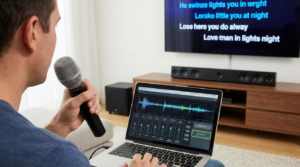
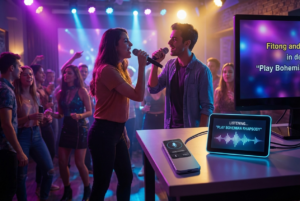
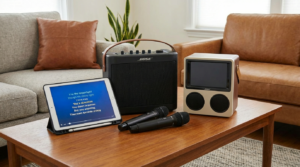
If you’ve ever dreamed of singing your favorite songs at home without buying expensive gear, a DIY karaoke setup is exactly what you need. With a few inexpensive tools—and likely items you already own—you can turn any room into your personal stage while keeping your wallet happy. This guide shows you how to build a complete karaoke system for cheap, making it perfect for family nights, parties, or solo sessions.
For more home entertainment ideas, check out our guides on budget-friendly audio gear (/budget-audio-gear) and small-space karaoke options (/small-room-karaoke-guide).
Why a DIY Karaoke Setup Might Be Your Best Idea Yet
Want to belt out your favorite songs without spending a fortune? You’re in the right place. A DIY karaoke setup lets you create a fun singing environment without purchasing high-end machines or professional sound equipment. Even better, you probably have many of the essentials already sitting at home.
Whether you’re prepping for a girls’ night, a birthday gathering, or a solo jam session, this guide will help you build the ultimate karaoke setup on a budget.
The Bare Essentials of a Karaoke Setup
A great karaoke night only requires a few basic items. The best part? Most people already own at least one or two of them.
1. A Playback Device
Your phone, laptop, tablet, or smart TV can all stream karaoke tracks. YouTube alone has thousands of free songs with lyrics.
For tracks, you can visit Sing King (https://www.youtube.com/@SingKingKaraoke) or KaraFun (https://www.karafun.com/), two of the most popular karaoke sources.
2. A Microphone
You can start with:
- A USB mic (for laptop or TV)
- A 3.5mm microphone (for phones with adapters)
- A Bluetooth karaoke microphone with built-in speaker
3. Speakers
While your device’s speaker works in a pinch, better sound helps. Try:
- A Bluetooth speaker
- A portable soundbar
- Wired desktop speakers
4. Karaoke Tracks
You don’t need to buy songs. Try:
- YouTube: Search “song name + karaoke”
- Karaoke Version: Paid but high quality (https://www.karaoke-version.com/)
- Spotify karaoke playlists: If you know the timing
Low-Cost Add-Ons That Elevate the Experience
Even on a tight budget, you can make your karaoke setup feel more polished with small upgrades.
Affordable Mic Options
- Fifine K669B USB Mic – Great sound under $40
- BONAOK Bluetooth Mic – Speaker + mic combination
- TONOR PC Mic – Easy plug-and-play
Mini Speakers That Rock
- Anker Soundcore 2 – Compact, rich sound
- JBL GO 3 – Waterproof and portable
- Old-school boombox – If it has AUX input
Mic Stand Alternatives
- Use a lamp or broomstick as a stand
- Place a mic in a coffee mug or tall glass
- Buy a clip-on desk mic holder for under $10
How to Set Everything Up Without Going Crazy
Step 1: Choose Your Space
Your bedroom, living room, or kitchen all work well. Just clear a little space and set the mood.
Step 2: Set Up Your Device
Open your karaoke tracks on your laptop, phone, or tablet. You can cast to your TV for larger on-screen lyrics.
Step 3: Connect Your Mic
Plug in the USB mic, pair a Bluetooth mic, or use adapters if needed. Always do a quick sound test.
Step 4: Pair Your Speaker
Connect a Bluetooth or wired speaker for stronger output.
Step 5: Test and Tweak
Adjust the mic volume, track volume, and speaker placement. Try a warm-up song to balance the sound.
Create the Karaoke Mood (Even on a Dime)
Lighting
- String lights
- LED strips
- Lamps with colored bulbs
- Flashlight behind a plastic cup (surprisingly cool effect)
Backdrop
- Hang a sheet or blanket
- Add posters or streamers for a stage look
Outfits & Props
- Sunglasses
- Hats
- Scarves
- Hairbrush as a “backup mic”
Best Free Resources for DIY Karaoke Tracks
YouTube Channels
- Sing King
- Karaoke Version (Free Samples)
- Karafun Official
- Mega Karaoke Songs
Karaoke Apps with Free Tiers
- Smule
- StarMaker
- The Voice Karaoke
- Yokee
For more app suggestions, visit our free karaoke app recommendations (/free-karaoke-apps).
Tips to Keep It Fun on Any Budget
Rotate the Mic
Let everyone get a chance to sing—and rest.
Use a Playlist
Prepare a playlist ahead of time to avoid awkward silence.
Encourage Audience Participation
Backup dancers, hype teams, and hand-clapping are always welcome.
Have “No Judgment” Rules
This is karaoke—not a competition.
Upgrade Later When You’re Ready
When you’re ready to invest a little more, try:
- A USB audio interface
- LED party lights
- A second mic for duets
- A cheap mini projector for music-video vibes
Conclusion
A DIY karaoke setup on a budget proves that you don’t need fancy equipment or expensive machines to have a great time. With a mic, a speaker, and your favorite songs, you can create a fun sing-along experience anytime. So grab the mic (or a wooden spoon), press play, and let the living-room concerts begin.
FAQs
What’s the cheapest way to do karaoke at home?
Use YouTube on your TV or laptop, plug in a budget mic, and connect a Bluetooth speaker.
Do I need a karaoke machine?
No. A DIY setup works perfectly with just a device, mic, and internet.
Can I use my phone for karaoke?
Absolutely—pair it with a Bluetooth mic or speaker and start singing.
What if I don’t have a mic?
You can still sing using your device’s built-in mic or simply follow the lyrics.
Is a DIY setup good for small apartments?
Yes! DIY karaoke setups are perfect for tight spaces and easy to store.