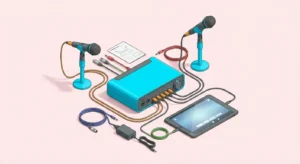
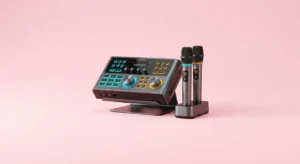
Trying to Fix Karaoke Machines that won’t power on can feel frustrating, especially before a party. However, most power issues have simple causes. Therefore, before assuming the unit is broken, it helps to follow a clear troubleshooting process.
Many karaoke systems fail to start due to minor problems. Loose cables, faulty outlets, or drained batteries often create confusion. Because of this, learning how to Fix Karaoke Machines correctly can save both time and money.
Instead of rushing to replace your equipment, take a systematic approach. In this guide, you’ll discover safe, practical steps to diagnose and solve common power issues.
Check the Power Source First
Start with the basics. Before opening the unit or adjusting internal parts, inspect the power supply.
Ensure the outlet works properly. Plug another device, such as a lamp or phone charger, into the same socket. If it does not work, the issue may be electrical rather than mechanical.
When you Fix Karaoke Machines, always verify the power cord connection. Sometimes the plug sits loosely in the socket.
Next, inspect the power adapter. Look for visible damage, bends, or exposed wires. Damaged adapters cannot deliver proper voltage.
If you use an extension cord, test the machine directly in the wall outlet. Faulty extension cords often cause interruptions.
Simple checks often solve the problem immediately.
Inspect the Power Cable and Adapter
Power cables endure wear over time. Therefore, examine them carefully.
Unplug the system before inspecting anything. Safety should always come first.
When you Fix Karaoke Machines, gently run your fingers along the cable to detect breaks or weak spots. If you notice fraying, replace the cord immediately.
Some karaoke machines use detachable power cords. Ensure both ends connect firmly.
Additionally, confirm voltage compatibility. If you recently moved or traveled, incorrect voltage settings may prevent startup.
Replacing a faulty adapter often restores functionality quickly.
Examine the Power Switch
Sometimes the issue involves the simplest component.
Toggle the power switch multiple times. Dirt or internal wear may prevent full contact.
When you Fix Karaoke Machines, listen for subtle clicks when pressing the switch. A lack of response may signal internal switch damage.
If the switch feels loose or stuck, avoid forcing it. Instead, consult a technician for internal repair.
In some cases, resetting the system helps. Unplug it for five minutes, then reconnect.
Minor switch problems can mimic larger electrical failures.
Check Built-In Fuses
Many karaoke systems include internal fuses for safety. These protect the device from power surges.
When you Fix Karaoke Machines that remain completely unresponsive, inspect the fuse compartment if accessible.
Refer to your manual before attempting removal. Replace blown fuses only with identical ratings.
A burned fuse usually appears dark or broken inside the glass tube.
If fuses continue blowing repeatedly, deeper electrical issues may exist.
Fuse replacement often solves sudden power loss after a surge.
Test Rechargeable Battery Models
Portable units often rely on internal batteries. Therefore, battery failure frequently causes power issues.
When you Fix Karaoke Machines with built-in batteries, connect them to a charger for several hours.
Look for charging indicator lights. If none appear, test a different charger.
Over time, rechargeable batteries lose capacity. Consequently, they may no longer hold power.
Some systems allow battery replacement. Others require professional servicing.
Battery troubleshooting resolves many portable unit failures.
Inspect for Overheating Protection Activation
Modern karaoke machines include overheating protection systems. These automatically shut down the device to prevent damage.
If your system stopped working suddenly after extended use, overheating may be the cause.
When you Fix Karaoke Machines affected by heat shutdown, unplug them and allow complete cooling.
Ensure ventilation openings remain clear. Blocked vents restrict airflow and trigger automatic shutdown.
Avoid placing the unit against walls or inside enclosed cabinets.
Proper cooling prevents recurring power issues.
Reset Internal Circuit Protection
Some devices include reset buttons near the power port.
When you Fix Karaoke Machines, check the back panel for small reset switches.
Press the reset button gently using a pen or paperclip if necessary.
After resetting, reconnect the power supply and test the system.
Circuit protection resets often restore functionality after minor electrical disruptions.
Look for Internal Loose Connections
If external troubleshooting fails, internal wiring may be loose.
Only proceed if you feel comfortable handling electronics. Otherwise, seek professional assistance.
When you Fix Karaoke Machines internally, unplug the unit completely first.
Open the casing carefully using appropriate tools.
Inspect visible wires for disconnection or corrosion.
Loose internal cables sometimes disconnect during transport.
Reconnecting a detached wire may restore power instantly.
Evaluate the Power Board
The power board distributes electricity throughout the system. If it fails, the unit will not start.
Signs of power board damage include burning smells or visible scorch marks.
When you Fix Karaoke Machines with suspected board failure, consult a certified technician.
Replacing internal boards requires specialized skills.
Avoid attempting complex repairs without experience.
Professional evaluation ensures safety and accuracy.
Test with a Surge Protector
Power surges damage electronics silently.
When you Fix Karaoke Machines, plug the unit into a surge protector rather than directly into the wall.
Surge protectors regulate voltage and prevent sudden spikes.
If the machine powers on using a protector, unstable wiring may exist in your home.
Preventative steps reduce long-term risks.
Confirm Remote Control Isn’t the Issue
Some modern units rely on remote activation.
Check whether the system has a standby mode.
When you Fix Karaoke Machines, try powering on manually instead of using the remote.
Replace remote batteries if necessary.
Sometimes the machine is functional but remains in standby.
Small misunderstandings create unnecessary stress.
Know When to Seek Professional Help
If none of these steps restore power, internal component failure may exist.
When you Fix Karaoke Machines repeatedly without success, professional repair becomes necessary.
Certified technicians diagnose power supply units, capacitors, and circuit boards accurately.
Although repair costs vary, they may be cheaper than replacement.
Evaluate warranty status before opening the device.
Professional service protects your investment.
Prevent Future Power Problems
Prevention saves effort.
Always unplug the system during storms.
Avoid overloading outlets with multiple devices.
When you Fix Karaoke Machines successfully, store them in dry, cool environments.
Regular maintenance reduces unexpected failures.
Simple care extends equipment lifespan.
Conclusion: Restore Power with Confidence
Learning how to Fix Karaoke Machines that won’t power on empowers you to handle common issues calmly. Because many problems stem from simple causes, basic troubleshooting often solves them quickly.
Start with outlet checks and cable inspections. Then examine switches, fuses, and batteries.
If deeper issues arise, consult professionals safely.
With patience and methodical steps, you can restore functionality and get back to singing.
Your next karaoke night doesn’t have to be canceled. Instead, apply these strategies and power up with confidence.
FAQ
FAQ
- Why won’t my karaoke machine turn on?
Common causes include faulty outlets, damaged cables, blown fuses, or drained batteries. - Can a blown fuse stop the system from starting?
Yes, a blown fuse prevents power from reaching internal components. - Is it safe to open the machine for inspection?
Only if you unplug it first and feel comfortable handling electronics safely. - How do I know if the battery is dead?
If charging indicators fail to appear after hours of charging, the battery may need replacement. - When should I seek professional repair?
If troubleshooting steps fail or internal damage appears, consult a certified technician.