Portable karaoke systems make it possible to enjoy singing without building an expensive home audio setup. Many affordable machines combine speakers, microphones, Bluetooth, and rechargeable batteries in one compact unit. Therefore, a budget below $100 can still provide plenty of entertainment for casual singers.
However, inexpensive karaoke machines vary widely in sound and build quality. Some focus on children and portability, while others target family parties with larger speakers. Knowing which features matter helps you avoid paying extra for functions you rarely use.
Prices also change between stores and promotional periods. For that reason, this guide focuses on useful features and system types rather than promising fixed prices for specific models. Always confirm the current price and included accessories before buying.
What Can You Get for Less Than $100?
The affordable karaoke market includes tiny tabletop speakers, compact party systems, and larger portable units. Most provide Bluetooth for streaming backing tracks from a phone or tablet. Many also include colorful lighting and at least one microphone.
Two wireless microphones have become common in this price range. They are especially useful for families because duets encourage more people to participate. However, microphone quality can vary considerably between packages.
Many portable karaoke systems also offer basic vocal controls. Echo is common, while some machines provide reverb or novelty voice effects. These additions can make casual performances more enjoyable without requiring a separate mixer.
Rechargeable batteries are another popular feature. A battery-powered machine can move between rooms and travel more easily than an outlet-only speaker. Still, actual runtime changes with volume, lighting, and wireless use.
Do not expect professional PA performance from a compact budget machine. Instead, look for clear vocals and enough volume for your intended room. Realistic expectations make choosing a satisfying system much easier.
Choose the Right Size for Your Space
Start by deciding where you will sing most often. A bedroom or small apartment usually needs less speaker output than a large living room. Buying a larger machine than necessary can create storage problems without improving your experience.
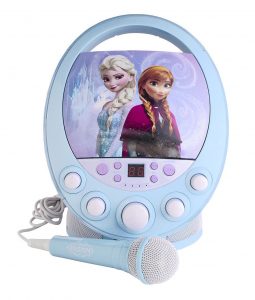
Compact tabletop units work well for children and casual solo singing. They are easy to carry and often fit inside cabinets after use. Moreover, many include handles that make moving them around the home simple.
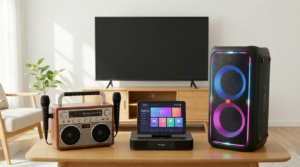
Larger portable karaoke systems can provide stronger sound for family gatherings. Their bigger speaker cabinets may deliver fuller music and better room coverage. However, they also weigh more and require additional storage space.
Check product dimensions instead of judging size from photographs. Online images can make small machines appear much larger. Likewise, a large speaker may look compact until it arrives at your home.
Consider how often you plan to travel with the system. If portability is a major priority, weight and battery power deserve extra attention. A smaller machine that gets used frequently provides more value than a powerful unit that stays in storage.
Look for Clear Sound Instead of Huge Numbers
Speaker specifications can be confusing for beginners. Manufacturers may describe power differently, so advertised wattage does not always provide an easy comparison. Consequently, the largest number on a product page does not guarantee better sound.
Focus on vocal clarity and clean playback at normal listening levels. Karaoke music should remain clear enough that singers can follow the melody. At the same time, microphone vocals should sit above the backing track without harsh distortion.
Good portable karaoke systems should offer enough volume for their intended environment. A small speaker does not need to shake the walls to perform well. In fact, excessive volume in a small room can increase feedback and listening fatigue.
Bass performance should also match realistic expectations. Compact speakers cannot reproduce deep frequencies like large professional systems. However, a well-designed unit can still make pop, rock, and dance tracks sound enjoyable.
When researching a machine, pay attention to credible comments about clarity and distortion. These details often reveal more than promotional specifications. Reviews discussing microphone balance can also help you understand everyday performance.
Decide Whether You Need Two Microphones
One microphone is enough for solo karaoke. It can also keep your setup simpler because fewer accessories require charging. Nevertheless, two microphones make a system much more flexible for parties.
Duets can help nervous singers participate because they do not have to perform alone. Two microphones also support karaoke games and group challenges. Therefore, families and frequent hosts may benefit from dual-microphone packages.
Some portable karaoke systems include two wireless microphones at surprisingly low prices. Before buying, verify that both microphones can operate simultaneously. Also, check whether they have separate controls or share one volume setting.
Wireless models allow singers to move around without dragging cables across the floor. However, they need reliable batteries and connections. Charge both microphones before guests arrive to avoid interruptions.
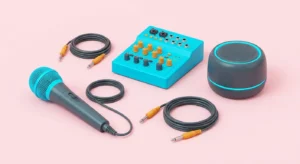
Wired microphones remain useful because they eliminate battery concerns. They can also provide a straightforward audio connection. If your machine has an extra microphone input, keeping a wired microphone as a backup can be helpful.
Check Bluetooth and Other Connections
Bluetooth provides one of the easiest ways to play karaoke tracks. Pair a compatible phone or tablet, choose your music source, and send the audio to the speaker. This keeps setup simple for casual home use.
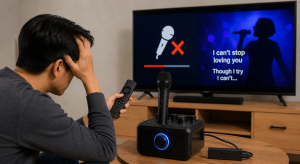
Remember that Bluetooth normally sends audio rather than displaying lyrics on the speaker. You still need a phone, tablet, laptop, or television for the words. Therefore, decide where singers will read lyrics before choosing your setup.
Most portable karaoke systems benefit from having at least one backup connection. An AUX input can help when wireless playback becomes unreliable. USB or memory-card support may also appear on some machines.
Check exactly what each port does. A USB connection may provide charging on one machine but support audio files on another. Product documentation should explain the intended functions.
Bluetooth can also introduce some audio latency. This usually matters more when live microphone audio passes through extra wireless processing. Keep your vocal signal path simple when you want the most responsive singing experience.
Compare Battery Life Carefully
Rechargeable power makes karaoke much more convenient. You can move the machine from the living room to another suitable space without searching for an outlet. Battery operation also reduces the number of power cables around performers.
However, advertised battery runtime is usually an estimate under specific conditions. Higher volume can reduce operating time. LED effects and wireless functions may also use additional power.
Before taking portable karaoke systems away from home, charge the speaker completely. Remember to charge wireless microphones separately when required. Keeping the correct charging cables in the carrying bag prevents unpleasant surprises.
Battery condition can decline over time. If you expect to use the machine for several years, check whether the manufacturer provides information about battery care. Proper charging habits can help maintain useful performance.
For home-only use, extremely long battery life may not justify a higher price. An outlet is usually nearby when you sing indoors. Prioritize the features that match your actual habits rather than paying for specifications you rarely need.
Consider Controls and Vocal Effects
Simple controls make karaoke more enjoyable. At minimum, you should be able to balance the music and microphone levels comfortably. An echo control can also help vocals sound less dry.
Some budget machines include separate bass and treble controls. Others keep everything simple with only a few knobs or buttons. Neither approach is automatically better because different users value different levels of control.
For beginners, portable karaoke systems with clearly labeled physical controls can be easier to operate. You can adjust the microphone quickly without navigating a phone application. This becomes particularly useful when several people take turns singing.
Novelty voice effects can entertain children and party guests. However, they should not determine your entire purchase. Clear sound and reliable microphones will affect every performance, while funny effects may lose their appeal quickly.
Try to find a system where effects can be reduced or disabled. Some singers prefer a natural vocal sound. Flexible controls allow the same machine to suit more people.
Do LED Lights Really Matter?
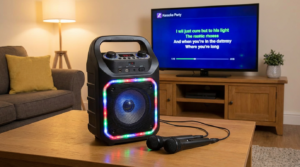
Built-in lights can make a compact karaoke machine feel more festive. Color-changing speaker rings and music-responsive effects work especially well during evening parties. They can also reduce the need for separate decorative lighting.
Still, LEDs do not improve audio performance. A machine with excellent lighting but weak microphones may become frustrating. Therefore, treat visual effects as a bonus after checking core features.
Many portable karaoke systems under $100 combine LEDs with multiple lighting modes. Look for an option to reduce or disable the effects. This is useful when singing during the day or in a quieter setting.
Children may value colorful lighting more than adults. If you are buying a machine primarily for younger singers, lights can meaningfully increase the fun. For adult home karaoke, microphone and speaker quality may deserve higher priority.
You can also add inexpensive party lighting later. That means built-in effects should not force you to compromise on important audio features. A solid karaoke machine remains useful even when its lights are switched off.
Pick a System That Matches the Main User
Different users need different features. A machine designed for a six-year-old does not need the same output as one used at adult parties. Likewise, a frequent traveler may value compact size more than bass response.
For children, prioritize simple controls, manageable volume, durable construction, and age-appropriate design. Lightweight wireless microphones can also make singing easier. Adult supervision remains important when charging electronic equipment.
Families may prefer portable karaoke systems with two microphones and flexible music connections. These features allow siblings, parents, and guests to perform together. A slightly larger speaker can also provide better coverage for shared spaces.
Adult party hosts may care more about vocal clarity and stronger output. Separate microphone and echo controls become more valuable when different singers use the machine. A useful AUX input can provide backup connectivity.
Think about future use as well. Children grow, and party habits change. A versatile machine may remain useful longer than one designed around a narrow novelty feature.
Avoid Common Budget Karaoke Mistakes
One common mistake is buying entirely on appearance. Colorful lights and dramatic product photographs can make a machine seem impressive. Yet weak microphones can quickly ruin the experience.
Another mistake involves assuming every accessory shown in a photo comes with the product. Read the package description carefully. You may discover that a second microphone or power adapter is sold separately.
When comparing portable karaoke systems, calculate the complete setup cost. A cheaper speaker that requires additional microphones may eventually cost more. A slightly higher-priced bundle can offer better overall value.
Avoid expecting a tiny speaker to fill a large outdoor space. Compact karaoke machines work best when matched to suitable environments. For bigger events, more capable audio equipment may be necessary.
Finally, do not ignore return and warranty policies. Affordable electronics can still develop faults. Knowing your options before buying makes the purchase less risky.
How to Get Better Karaoke Sound at Home
Good placement can improve an inexpensive machine. Put the speaker in an open location rather than hiding it inside a cabinet. Keep it reasonably close to listeners while leaving enough distance from microphones.
Feedback often occurs when a microphone points toward the speaker. Encourage singers to stand in front of the speaker rather than directly behind it. Lowering microphone volume slightly can also help.
With portable karaoke systems, start at moderate volume and adjust gradually. Set the backing track first, then bring the microphone up until vocals sound clear. Add only enough echo to create a comfortable singing effect.
Hard rooms can produce more reflections than spaces with curtains and soft furniture. Therefore, speaker placement may require experimentation. Moving the unit a few feet can sometimes improve clarity.
Do a quick sound test before guests arrive. Use the same phone, microphones, and music source you plan to use later. This gives you time to correct pairing or charging problems.
How to Shop Smarter With a $100 Budget
Create a short priority list before browsing. For most people, reliable microphones, Bluetooth, clear sound, and rechargeable power deserve the highest positions. Extra lighting and novelty effects can come afterward.
Compare several machines with similar features instead of buying the first discounted option. Prices can move quickly, so check the current total before ordering. Shipping costs can also affect whether a product stays within budget.
Affordable portable karaoke systems often appear in multiple bundles. One package may include a single microphone, while another includes two. Compare the complete contents rather than focusing only on the model name.
Look at warranty information and seller reputation when possible. A very low price offers little value if support is difficult to obtain. Clear product documentation is another positive sign.
Most importantly, avoid buying features simply because they sound impressive. A machine that fits your room and users will provide better value. Practical features tend to matter longer than marketing extras.
Conclusion
Affordable karaoke equipment can provide excellent entertainment when expectations remain realistic. You do not need professional speakers or complicated mixers for family singing and small parties. Bluetooth, microphones, rechargeable power, and basic vocal controls can create a convenient all-in-one setup.
The best portable karaoke systems under $100 focus on useful features rather than unnecessary extras. Choose the right speaker size, check the microphone package, and confirm how the battery and connections work. Also, verify current pricing because affordable models can move above or below the $100 mark.
Take time to compare complete packages before buying. A well-matched system can serve family nights, birthdays, casual parties, and travel for years. By prioritizing reliable core features, you can enjoy better karaoke without spending beyond your budget.
FAQ
1. Can an inexpensive karaoke machine sound good?
Yes, a budget machine can sound enjoyable in a small or medium room. Clear vocals and balanced playback matter more than extreme volume. However, compact systems will not match professional PA equipment.
2. Should I choose one or two microphones?
Two microphones are useful for duets, families, and party games. A single microphone is enough for solo singing and simpler setups. Check whether included wireless microphones can work simultaneously.
3. Can I use my phone with a budget karaoke machine?
Many current machines support Bluetooth audio from compatible phones and tablets. Some also offer AUX, USB, or memory-card options. Verify the exact connections before purchasing.
4. Is a rechargeable battery necessary for home karaoke?
No, it is not essential when you usually sing near an outlet. However, battery power makes the machine easier to move between rooms. It is also useful for travel and suitable outdoor gatherings.
5. What features should I prioritize under $100?
Focus on clear audio, reliable microphones, useful controls, and convenient connectivity. Battery power matters if you plan to move the machine often. Treat LED lighting and novelty effects as secondary features.