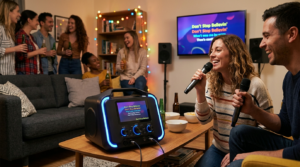
When you want clearer vocals and stronger audio during karaoke, one of the best upgrades you can make is learning how to connect a karaoke machine to a soundbar. A soundbar offers richer sound, deeper bass, and better clarity than most built-in speakers. Because of this, many people prefer using a soundbar instead of traditional karaoke speakers. Thankfully, connecting the two devices is usually simple. You just need the right cables, the right ports, and a basic understanding of how your soundbar receives audio.
Today’s karaoke machines come with different output options, and soundbars vary widely in their available inputs. Even so, most setups become easy once you match the correct connection type. Whether you’re using HDMI, AUX, optical, or Bluetooth, the process stays straightforward. Once everything is connected, your karaoke system instantly feels more powerful and immersive.
This guide will walk you through every method so you can connect a karaoke machine to a soundbar confidently. It also helps you understand the advantages of each connection type, how to adjust audio settings, and how to solve common issues. With the right approach, your soundbar becomes the backbone of your karaoke setup, creating a sound that fills the room and energizes every performance.
Why You Should Connect a Karaoke Machine to a Soundbar
Most karaoke machines include basic speakers designed for casual use. However, these built-in speakers often lack depth, clarity, and volume. By choosing to connect a karaoke machine to a soundbar, you instantly upgrade your entire audio experience.
Soundbars are built to enhance dialogue and music. This means your vocals sound cleaner, sharper, and more balanced. Because karaoke relies on clear voice projection, using a soundbar helps make every performer sound better. Additionally, many soundbars include built-in subwoofers or wireless subwoofer attachments, adding warmth and punch to the music.
Another advantage involves convenience. Soundbars take up less space than bulky speaker systems. In fact, many have multiple inputs, making them simple to use with different devices. Once you connect a karaoke machine to a soundbar, your setup becomes clean, modern, and far easier to manage.
Understanding the Ports Before You Connect
Before you connect a karaoke machine to a soundbar, take a moment to check your available ports. This helps you choose the best method for your setup.
Most karaoke machines include one or more of the following outputs:
- AUX (3.5mm)
- RCA (red and white)
- HDMI
- Optical (rare, but possible)
- Bluetooth
Soundbars often include:
- HDMI ARC or eARC
- Digital optical input
- AUX input
- Bluetooth
- USB (usually for storage, not audio input)
Because not every soundbar supports every connection type, choosing the right method becomes essential. For example, HDMI ARC may not accept audio from a karaoke machine unless the machine supports HDMI audio output. AUX and optical tend to work more reliably across devices.
Once you identify the ports, you’re ready to connect a karaoke machine to a soundbar using a compatible method.
How to Connect a Karaoke Machine to a Soundbar Using AUX
One of the easiest ways to connect a karaoke machine to a soundbar is with an AUX cable. Because AUX connections are universal, this method works for most systems.
To use this method:
- Plug a 3.5mm AUX cable into the karaoke machine’s AUX OUT port.
- Plug the other end into the soundbar’s AUX IN port.
- Turn on both devices.
- Set the soundbar to AUX mode.
- Test your audio by playing a song.
Although AUX is simple, it doesn’t support digital audio. Even so, it still provides clean sound for most karaoke setups. This makes it a great choice for beginners or anyone using a basic machine. After you connect a karaoke machine to a soundbar with AUX, you should hear immediate improvement in sound clarity.
Using RCA to Connect Your Karaoke Machine to a Soundbar
If your karaoke machine includes RCA outputs, you may connect it to a soundbar using an RCA-to-AUX adapter. This method is common when machines use older ports.
Here’s how to do it:
- Insert the red and white RCA plugs into the karaoke machine’s audio output ports.
- Connect the other end to a 3.5mm adapter.
- Plug the adapter into the soundbar’s AUX IN.
- Switch the soundbar to AUX mode.
- Play audio to test the connection.
Because many modern soundbars no longer include RCA inputs, the adapter becomes necessary. Once connected, the result is typically strong, reliable sound. This makes RCA another easy way to connect a karaoke machine to a soundbar.
Connecting a Karaoke Machine to a Soundbar with HDMI
Using HDMI can deliver excellent sound, but this method depends heavily on compatibility. If your karaoke machine provides HDMI OUT and your soundbar supports HDMI IN (not just ARC), you may connect the devices directly.
Follow these steps:
- Connect an HDMI cable from the karaoke machine to the soundbar.
- Set the soundbar to the correct HDMI input.
- Ensure the microphone audio passes through the HDMI output.
- Test sound and adjust volume levels.
However, many soundbars only support HDMI ARC or eARC, which are designed for TVs, not external devices. Because of this, HDMI is less common for karaoke setups. Still, when it works, it provides excellent digital audio with minimal delay.
Connecting a Karaoke Machine to a Soundbar Using Optical
Some karaoke machines include an optical output, though this feature is less common. If both your machine and your soundbar support optical audio, you can connect them easily.
Steps include:
- Plug the optical cable into the karaoke machine’s optical OUT.
- Attach the other end to the soundbar’s optical IN.
- Change the soundbar to its optical input mode.
- Test the audio with a track.
Because optical supports high-quality digital sound, it can produce excellent clarity. However, you must enable the proper audio format on your machine. Once configured, connecting a karaoke machine to a soundbar with optical gives you detailed, powerful audio.
Can You Connect a Karaoke Machine to a Soundbar with Bluetooth?
Although Bluetooth works well for music streaming, it’s not ideal for karaoke. This is because Bluetooth usually introduces slight audio delays. That delay creates timing issues that make singing feel difficult.
However, if your karaoke machine and soundbar both support low-latency Bluetooth, you can still use this method. To try it:
- Turn on Bluetooth for both devices.
- Pair the soundbar with the karaoke machine.
- Test for delay before the event.
If the delay is noticeable, use a wired connection instead. Because karaoke requires precise timing between vocals and music, reliability matters more than convenience. Still, low-latency Bluetooth can be useful for casual singing sessions.
Connecting Through a TV Instead of Directly to the Soundbar
Another way to connect a karaoke machine to a soundbar involves using your TV as the middle device. This method is extremely common and often the simplest for modern homes.
To do this:
- Connect the karaoke machine to your TV (via HDMI, RCA, or AUX).
- Ensure the TV receives the machine’s audio.
- Your TV will send audio to the soundbar using HDMI ARC, optical, or AUX.
- Confirm that microphone audio passes through the TV correctly.
- Test sound and adjust settings.
Using your TV allows you to rely on a connection type your soundbar already supports. Because TVs handle audio routing well, this method makes it easier to connect a karaoke machine to a soundbar without guesswork.
Optimizing Audio After You Connect a Karaoke Machine to a Soundbar
Once your devices are connected, optimizing audio is essential. Soundbars amplify vocals and music strongly, so balance matters.
Try the following adjustments:
- Lower music volume slightly to keep vocals clear.
- Increase microphone volume gradually until it blends well.
- Add small amounts of echo for depth.
- Adjust soundbar EQ if available.
- Position the soundbar facing the audience.
Because every soundbar behaves differently, take time to experiment. After fine-tuning, you’ll have a setup that rivals professional karaoke speakers.
Troubleshooting Common Connection Problems
Even when you connect a karaoke machine to a soundbar correctly, issues may appear. Fortunately, most problems are easy to solve.
If you hear no audio:
- Check the input mode on the soundbar.
- Confirm cables are fully inserted.
- Verify your machine’s audio output settings.
- Test a different cable or port.
If audio is distorted:
- Lower the karaoke machine’s volume.
- Reduce microphone gain.
- Adjust soundbar EQ.
If audio is delayed:
- Avoid Bluetooth and use a wired connection.
With simple troubleshooting, your system becomes reliable and ready for any performance.
Making Your Setup Look Clean and Professional
A clean setup improves your overall experience. Use cable ties to organize wires. Position your soundbar at ear level if possible. Place your karaoke machine where it’s easy to reach without blocking the stage area.
Adding decorative lighting or a backdrop also enhances the atmosphere. When everything looks intentional and polished, guests feel more excited to participate.
Conclusion
When you connect a karaoke machine to a soundbar, you unlock richer sound, clearer vocals, and a more immersive experience. Whether you choose AUX, RCA, HDMI, optical, or TV-based connections, the process is simple once you match the correct ports. With thoughtful adjustments and careful setup, your sound system becomes powerful enough to support lively performances and unforgettable karaoke nights. A well-connected system ensures that every singer feels confident, every song sounds strong, and every gathering becomes a moment worth remembering.
FAQ
- What is the easiest way to connect a karaoke machine to a soundbar?
AUX is usually the simplest and most universal method. - Can I use Bluetooth to connect the two devices?
Yes, but audio delay often makes Bluetooth less ideal for karaoke. - Why doesn’t my soundbar play karaoke audio?
You may be using the wrong input mode or an unsupported port. - Is HDMI a good way to connect these devices?
Only if the soundbar supports standard HDMI input, not just ARC. - Can I run the karaoke machine through my TV instead?
Yes. Many people connect through the TV and then route audio to the soundbar.